
A single database rarely produces the best B2B company list for every sales, recruiting, or product workflow. One team may need broad company discovery, another may need funding and growth filters, while a third needs live verification, contact enrichment, or API delivery into an application. Treating all of those jobs as “find a list of companies” hides the trade-off.
The global B2B market is already measured in trillions of dollars, with one report estimating about USD 1.291 trillion in 2025 and projecting USD 1.430 trillion in 2026 at 10.7% year-over-year growth. The market report helps explain why firmographics such as industry, headcount, headquarters, and founding year matter for territory design and account prioritization.
This comparison evaluates seven routes by discovery breadth, freshness, firmographic depth, integration effort, throughput, cost trade-offs, and compliance. Fetchin belongs in a different category from a static database: it suits teams that already have professional profile or company URLs and need fresh, structured JSON on demand.
Table of Contents
- 1. Fetchin
- 2. ZoomInfo
- 3. Apollo
- 4. Clearbit by HubSpot
- 5. Lusha
- 6. Cognism
- 7. Crunchbase
- Top 7 B2B Company Data Providers Comparison
- Choose the Source That Matches Your List
1. Fetchin
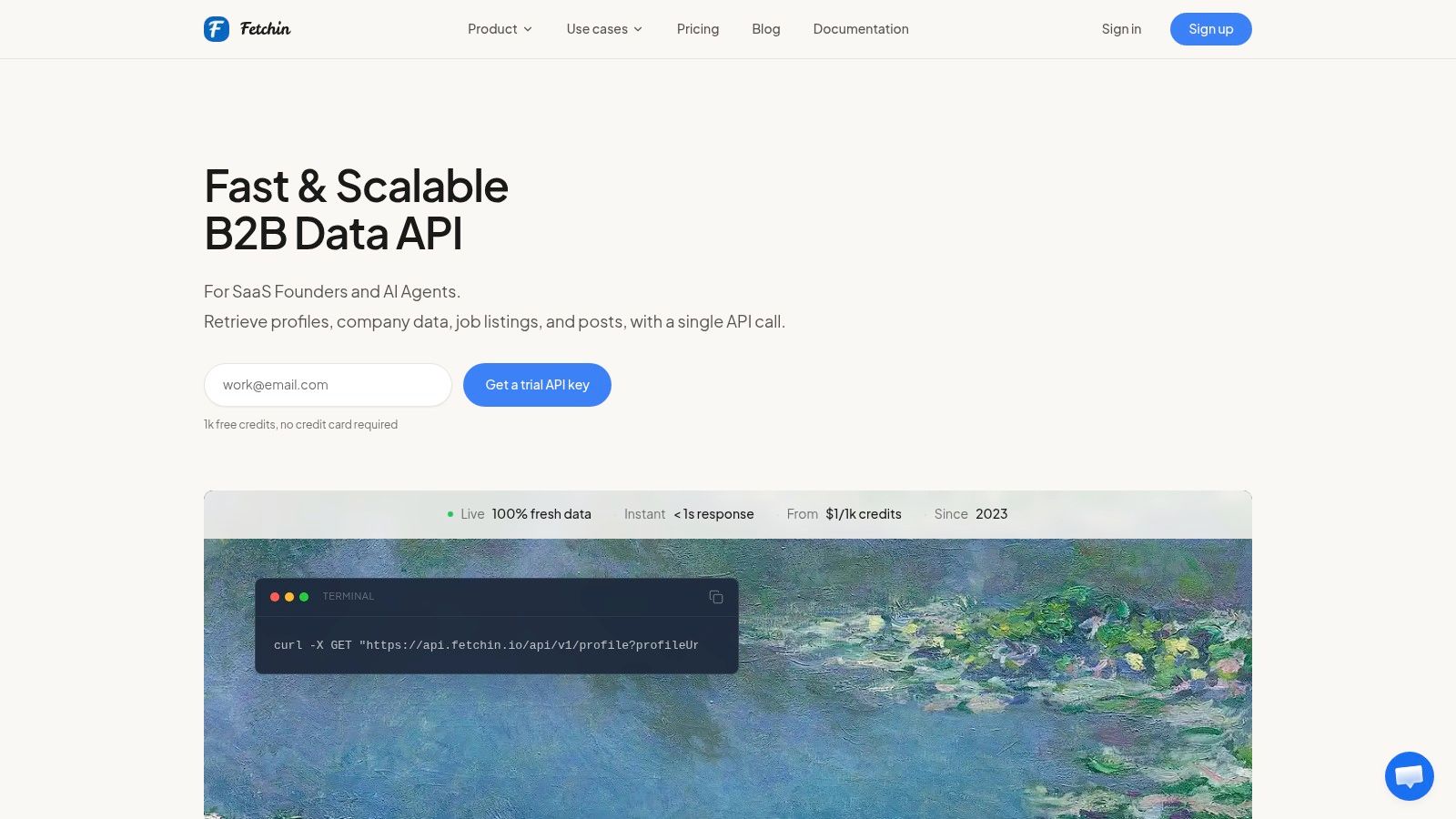
Fetchin is a real-time B2B data API for product teams, engineers, and AI agents that need current people and company data without maintaining another internal data collection system. It fetches publicly available professional profile and company pages per request, then returns consistent JSON for direct integration.
The profile endpoint supports 100+ attributes, including positions, education, skills, locations, and contact fields. The company endpoint returns firmographics such as industry, employee count, founding date, headquarters, website, domain, and follower count. Separate endpoints can capture posts, comments, and reactions, which makes the API useful when a company list needs engagement context rather than names and domains alone.
Where the API fits
Fetchin works best when your starting point is already identifiable. Give it a company URL, public identifier, or numeric company ID, and it can resolve structured firmographic data for enrichment, record upkeep, lead routing, recruiting workflows, or a data-driven product feature.
Its delivery model is more flexible than a one-off export. Responses are synchronous by default, with asynchronous processing available for higher-latency workflows. The dashboard provides controls for credits, rate configuration, and live pricing visibility, while failed requests don't consume credits.
The performance profile is designed for applications that need a response during a user or agent workflow. Fetchin reports a median response time near one second and approximately 1.5 seconds at P95 under production load, while public API guidance commonly evaluates performance through percentile thresholds rather than averages. The API latency benchmark discussion explains why that distinction matters for production integrations.
Practical rule: Choose Fetchin when freshness and URL-based enrichment matter more than owning a large historical snapshot.
Fetchin offers 1,000 free credits without a credit card. Self-serve pricing starts at about $1.00 per 1,000 credits, with a Starter example of $50 per month for 50,000 credits at 5 requests per second. Pay-as-you-go starts at about $1.50 per 1,000 credits, while higher-volume Growth and Scale plans reduce the rate to approximately $0.95 to $0.90 per 1,000 credits. These prices and limits are presented in the product plan, so teams should confirm current terms before budgeting.
The trade-off is throughput. The self-serve rate limit is 5 requests per second, and higher sustained throughput requires dedicated capacity, provisioned in 2 to 5 business days. Fetchin also launched in 2023, so organizations with large legacy procurement requirements may still prefer an established incumbent.
Pros
- Live data extraction: Fetches current publicly available page state rather than relying only on periodic index snapshots.
- Structured depth: Combines company firmographics, profile attributes, and engagement endpoints in consistent JSON.
- Cost control: Failed calls don't consume credits, and pricing is organized around credit usage.
- Integration flexibility: Supports synchronous and asynchronous delivery, with dedicated capacity for larger workloads.
- Compliance-minded sourcing: Limits collection to public information and references CCPA and GDPR alignment.
Cons
- Self-serve throughput: The default rate limit is modest for large batch workloads.
- Public-data boundary: It doesn't provide private or authenticated information.
- Provider maturity: A newer vendor may not replace every incumbent in complex legacy environments.
2. ZoomInfo
ZoomInfo is built for organizations that want a broad company and contact database combined with sales, marketing, operations, and talent workflows. It produces a managed, enterprise-oriented list rather than a narrowly defined set of company records.
Its strength is the surrounding system. Teams can use company and contact data alongside intent signals, technographics, enrichment, website engagement modules, APIs, browser extensions, and workflow integrations across go-to-market systems. That combination can reduce the need to assemble separate vendors for account discovery, contact access, routing, and activation.
Best for managed coverage
ZoomInfo makes sense when procurement, onboarding, permissions, and workflow administration matter as much as raw record access. Its database supports broad firmographic and contact research, including direct-dial and email intelligence, although users have reported mixed experiences with mobile and direct-dial accuracy relative to the price.
Pricing is quote-based, which makes a direct cost comparison difficult for smaller teams. The platform may be too expensive for an early-stage sales operation that only needs a focused niche list, especially if the team won't use its wider workflow suite. A free community edition, ZoomInfo Lite, gives some users a lower-friction way to evaluate the ecosystem.
The broadest database isn't automatically the freshest or best-matched list. Test records against the roles, regions, and industries your team actually targets.
For a deeper evaluation of how enterprise platforms compare with API-led enrichment, see Fetchin's guide to B2B sales intelligence tools. The key distinction is delivery: ZoomInfo is primarily a managed platform and database, while Fetchin is designed to return structured data inside your own product or pipeline.
Pros
- Enterprise breadth: Provides extensive company and contact coverage for large go-to-market teams.
- Workflow depth: Connects data with intent, enrichment, integrations, and operational workflows.
- Evaluation path: ZoomInfo Lite offers a community edition for initial exploration.
Cons
- Budget uncertainty: Quote-based pricing can make planning difficult for smaller organizations.
- Accuracy questions: Teams should validate direct-dial and mobile coverage in their target segment.
- Platform dependence: The value is highest when the organization adopts several parts of the suite.
3. Apollo
Apollo combines a B2B database with outbound execution. That changes the kind of list it produces. Instead of stopping at account discovery, Apollo lets sales teams move from filters and contact selection into sequences, dialing, testing, and CRM workflows.
Startups and smaller sales organizations often prefer this model because it reduces tool sprawl. Prospecting filters, verified email and phone access through credits, a browser extension, sequences, a dialer, A/B testing, and integrations with systems such as Salesforce and HubSpot all sit in one product environment.
The credit model changes the economics
Apollo's lower entry point can be attractive compared with legacy enterprise vendors, but headline affordability doesn't tell the whole story. Cost depends on what your team extracts and verifies. Mobile numbers can consume more credits, and credits expire, so a list that looks inexpensive at the account level may become less predictable once contact enrichment and outreach are active.
Coverage also varies by segment. A team targeting familiar roles in well-covered markets may find Apollo sufficient, while a niche buyer should test match rates before building a large workflow around it.
The product's documentation explains its credit system and time-bound trials with free credits, which helps teams model usage before committing. That doesn't remove the need for a sample test. Compare the returned company fields, contact fields, role relevance, and domain quality against your ideal customer profile rather than evaluating only the size of the search result.
Apollo is a delivery-and-activation platform, not merely a company-first discovery database. If your primary question is “Which funded companies entered this category?” another tool may produce a better starting universe. If the question is “Which contacts can we research and place into an outbound sequence?” Apollo's integrated workflow is more relevant.
Pros
- Accessible entry point: Often easier for startups and SMB teams to adopt than enterprise alternatives.
- All-in-one execution: Combines list building, contact access, sequences, dialing, testing, and CRM integration.
- Usage visibility: Credit documentation helps teams estimate how enrichment actions affect consumption.
Cons
- Variable credit costs: Certain contact actions can consume more credits than basic discovery.
- Expiration risk: Unused credits may expire, which matters for irregular prospecting.
- Segment variation: Match rates and data quality should be tested against the intended market.
4. Clearbit by HubSpot
Clearbit by HubSpot is best understood as a CRM-native enrichment route, not a general-purpose list marketplace. It supports company and contact enrichment inside HubSpot's Customer Platform, with more than 100 business attributes available for enrichment according to the product description.
That makes it useful for teams whose company records already live in HubSpot. Enrichment can add firmographic context to existing objects, while visitor identification through reverse IP helps connect anonymous website activity with business information. The operational advantage is the workflow connection. Revenue operations teams don't need to move records between an isolated enrichment product and the CRM before routing or segmentation.
Integration convenience versus independence
Clearbit's primary strength is reduced operations friction. HubSpot manages the platform relationship, credit model, and support, so teams already standardized on HubSpot may accept the trade-off of buying enrichment through a broader customer platform.
The purchasing model is less transparent for buyers seeking a standalone database. There isn't a separate Clearbit pricing page, and usage is governed by HubSpot's credits. Some users have reported rising costs and pockets of stale data following the acquisition, so an evaluation should compare the returned fields against the company's actual ICP and refresh requirements.
This option produces a list shaped by existing CRM activity and enrichment rules. It won't necessarily be the best route for discovering a new market from scratch, especially where funding, investors, or growth-stage signals define the account universe. It is stronger when the accounts are already entering your system through forms, website activity, imports, or sales processes.
For teams that need URL-driven structured enrichment outside a CRM, compare the company enrichment API from Fetchin. That approach shifts responsibility for integration to the product team, but it can provide more control over when and how each company record is refreshed.
Pros
- HubSpot-native workflow: Enrichment and visitor identification operate within the CRM environment.
- Firmographic breadth: Supports a large attribute set for segmentation and routing.
- Operational support: HubSpot manages the commercial and platform relationship.
Cons
- Limited standalone control: Buyers can't treat Clearbit as an independent database with a separate pricing path.
- Credit governance: Usage depends on HubSpot's credit model.
- Freshness uncertainty: Validate stale fields against the markets and segments you care about.
5. Lusha
Lusha targets teams that want straightforward prospecting without the heavier implementation associated with enterprise data suites. It produces contact and company lists with access to direct dials and email addresses through credits, supported by a browser extension, CRM integrations, and a simple prospecting interface.
The product's practical appeal is speed to first use. A small sales team can research a company, identify likely contacts, and add records to its workflow without designing a complex data architecture. Self-serve plans support smaller buying motions, while a sales-assisted Scale tier and centralized credit pools address more coordinated use.
A practical fit for scrappy list building
Lusha works best when the list is relatively focused and the team values immediate access over extensive firmographic or intent depth. Its browser extension supports quick contact discovery across professional network pages and company websites, while native CRM integrations reduce manual transfer.
The cost comparison requires care. Official pricing pages provide limited dollar figures, and plan details can change, so buyers should confirm current credit allocations, export rules, integrations, and governance features before purchase. A lower entry price doesn't guarantee lower total cost if the target geography or job function has shallow coverage.
Test the difficult segment, not the easy sample. If your list targets common roles in familiar markets, almost any vendor may look strong. Validate the regions, industries, and seniority bands that usually cause gaps.
Lusha is also a contact-first route. It can help turn a known set of companies into reachable people, but it may not provide the same company discovery depth as Crunchbase or the workflow breadth of ZoomInfo and Apollo. Teams building an account universe should define the company filters first, then use Lusha to assess contact availability and credit consumption.
Pros
- Fast adoption: Simple UX supports quick prospect research.
- Budget orientation: Often offers a lower entry point than enterprise peers.
- Contact workflow: Browser extension and CRM integrations make list activation convenient.
- Credit pooling: Centralized credits can help teams coordinate usage.
Cons
- Pricing movement: Plan details and commercial terms should be confirmed before purchase.
- Regional variation: Coverage may be shallower in certain markets or roles.
- Limited strategic depth: It may need to be paired with a company-first discovery source.
6. Cognism
Cognism is a compliance-forward B2B data platform with particular relevance for teams operating across Europe and the broader EMEA region. It offers company and contact data, enrichment, sales intelligence workflows, CRM and sales engagement integrations, and data-as-a-service delivery.
Its key differentiator is not just the record set. Cognism positions its compliance program around GDPR, UK privacy requirements, CCPA, and state privacy laws, with a Data Processing Agreement and an audited operating posture. That matters when a B2B company list includes professional records that can be associated with identifiable individuals.
Coverage and governance belong in the same evaluation
Cognism is suitable for global teams that need dialable numbers, regional coverage, and a documented compliance approach. Buyers often consider it where European data quality and governance carry more weight than the lowest possible acquisition cost.
Pricing isn't publicly listed, so procurement requires a sales conversation. The total cost of ownership can be higher than SMB-oriented tools, and some mid-sized teams report budget pressure. That doesn't make the platform unsuitable. It means the business case should include the cost of compliance review, data operations, enrichment, and failed prospecting, not just the subscription quote.
The legal boundary also deserves independent review. Under the CCPA, personal information includes data that identifies, relates to, describes, or can reasonably be linked to a consumer or household, while the law excludes publicly available information in defined circumstances. The CCPA text is relevant when professional profile data enters an automated workflow.
Cognism's platform, enrichment, and DaaS options give larger teams multiple delivery paths. That flexibility is valuable for organizations that need both user-facing prospecting and controlled data movement into internal systems.
Pros
- EMEA relevance: Strong fit for teams with European and UK market requirements.
- Compliance posture: Provides documented privacy and processing controls.
- Delivery choice: Supports platform use, enrichment, and DaaS models.
- Contact utility: Known for emphasis on dialable numbers and sales workflows.
Cons
- Quote-based pricing: Budget planning requires vendor engagement.
- Higher ownership cost: It may exceed the budget of a smaller prospecting team.
- Evaluation effort: Teams should validate coverage and governance for each operating region.
7. Crunchbase
Crunchbase produces a company-first list. Its value comes from discovering and segmenting organizations by funding, investors, industry, company stage, and growth-related signals, then exporting or enriching those accounts through another contact data route.
That makes it particularly useful for account-based market definition. A revenue team can create a universe of funded companies in a category, isolate organizations associated with selected investors, or monitor saved searches and alerts. The list is strategic before it's operational. It tells you which accounts belong in the territory, not necessarily which person should receive the first message.
The best starting point for growth-led account universes
Crunchbase also offers API licensing for product use cases, which matters when a company discovery layer needs to power an application rather than a sales representative's browser session. Self-serve upgrades, clear documentation, and month-to-month options can make experimentation easier than a large enterprise procurement process.
The limitation is contact depth. Lower tiers provide limited contact data, so many teams pair Crunchbase with a separate contact vendor or a professional data API. Export row limits and policy changes have affected some users, which means buyers should confirm current caps and usage rights before designing a recurring pipeline.
A company-first list also needs freshness controls. B2B firmographic data can decay by roughly 2.1% per month, with an estimated 22.5% to 30% annual range in one 2026 benchmark. The B2B data benchmark notes that headcount and industry can change faster than more stable fields such as founding year. The implication is easy to miss: a strong discovery source still needs refresh metadata before sales treats every row as current.
Crunchbase is therefore strongest at the top of the funnel. Pair it with a contact source for people data, or use Fetchin when known company identifiers must be resolved into fresh structured firmographics inside an application. Fetchin's data-as-a-service comparison outlines that different delivery models solve different operational problems.
Pros
- Company discovery: Excellent for funding, investor, industry, and stage-based segmentation.
- Growth context: Adds signals that generic directories often lack.
- Product delivery: API licensing supports embedded company data use cases.
- Accessible testing: Documentation and self-serve options support initial evaluation.
Cons
- Contact limitations: Lower tiers may require a second contact data provider.
- Export constraints: Confirm current row limits and policy terms.
- Freshness responsibility: Saved searches and firmographic records still need verification.
Top 7 B2B Company Data Providers Comparison
| Product | Implementation complexity 🔄 | Resource requirements ⚡ | Expected outcomes 📊 | Ideal use cases | Key advantages ⭐💡 |
|---|---|---|---|---|---|
| Fetchin | Moderate, REST API with sync/async options; rate planning for throughput (🔄) | Low dev effort; credit-based usage; dedicated capacity for high sustained throughput (⚡) | Fresh, sub‑second live profiles & firmographics; predictable per‑1K pricing (📊⭐) | Real‑time enrichment, lead routing, recruiting, SaaS features needing freshness | Live per‑call fetching, 100+ profile attrs, failed calls don't consume credits, compliance‑minded (💡⭐) |
| ZoomInfo | Medium–High, enterprise onboarding and integration work (🔄) | Higher cost; managed onboarding and robust integration support (⚡) | Very broad coverage, intent signals and deep contact graph at scale (📊⭐) | Enterprise GTM, intent‑driven sales/marketing, large coverage needs | Breadth/depth of data, strong workflow integrations, intent products (💡⭐) |
| Apollo | Low–Medium, self‑serve setup plus outbound stack configuration (🔄) | Lower entry cost; credit model for verifications; needs operational management for sequences (⚡) | Integrated prospecting + outreach; faster go‑to‑outbound (📊) | Startups/SMB outbound teams looking for all‑in‑one tools | All‑in‑one outreach + data, lower price point, reduces tool sprawl (💡⭐) |
| Clearbit (HubSpot) | Low if using HubSpot native flows; higher if external integration (🔄) | Requires HubSpot seats/credits; purchased and managed via HubSpot (⚡) | Seamless CRM enrichment and visitor de‑anonymization inside HubSpot (📊) | Organizations running HubSpot CRM/automation that want integrated enrichment | Tight HubSpot integration, platform support and native workflows (💡⭐) |
| Lusha | Low, quick Chrome extension and simple APIs (🔄) | Budget‑friendlier self‑serve plans; credit limits and shifting plan details (⚡) | Fast contact discovery and simple list building (📊) | Small teams seeking quick phone/email lookup and list creation | Easy UX, Chrome plugin, rapid time‑to‑value at lower entry cost (💡⭐) |
| Cognism | Medium, compliance onboarding and DPA setup often required (🔄) | Quote‑based pricing; higher TCO but strong compliance overhead (⚡) | GDPR/UK‑compliant EMEA coverage with audited data and dialable numbers (📊⭐) | EU/EMEA teams needing audited compliance and mobile number quality | Compliance‑first program, strong EMEA coverage, multiple delivery models (💡⭐) |
| Crunchbase | Low, self‑serve search, list building and API options (🔄) | Accessible tiers with export/API limits on lower plans (⚡) | High‑quality firmographic, funding and growth signals for segmentation (📊) | Company discovery, vertical lists, fundraising and investor research | Excellent funding/growth signals, strong company segmentation and API options (💡⭐) |
Choose the Source That Matches Your List
Start with the question your list must answer. If the job is to identify companies by funding, industry, stage, or investor, a company-first database such as Crunchbase is the logical starting point. If the job is to support managed coverage, intent, contact intelligence, and coordinated go-to-market workflows, ZoomInfo or Cognism may justify the larger buying process.
Teams with a smaller sales operation may prefer Apollo or Lusha because those products connect discovery with contact access and outreach. Clearbit by HubSpot is more appropriate when the CRM already owns the workflow and enrichment needs to happen inside HubSpot objects. Fetchin fits a different operating pattern. Use it when your pipeline already has professional profile or company URLs and needs fresh, structured JSON on demand rather than another static account database.
The market context supports this distinction. B2B e-commerce grew at a 17% compound annual growth rate between 2017 and 2021, while the top five marketplaces accounted for more than 60% of global gross merchandise value in the analysis from Roland Berger.pdf?v=804286). Digital buying creates more opportunities for automation, but it also makes stale domains, outdated roles, and incomplete firmographics more expensive to ignore.
Use this verification sequence before scaling:
- Target-market coverage: Test the countries, industries, company sizes, and roles that define your actual ICP.
- Freshness testing: Ask when each field was last verified, not only when the record was created.
- Firmographic depth: Confirm industry, headcount, headquarters, founding year, domain, and any fields required for routing.
- Match rates: Compare how often a provider resolves your sample and how often the returned record is relevant.
- Credit consumption: Measure the cost of company lookup, contact enrichment, verification, exports, and retries.
- Rate limits: Confirm whether the delivery method can support your batch size and application response requirements.
- Integration effort: Separate a browser workflow, CSV export, CRM connector, API, and asynchronous pipeline. They aren't interchangeable.
- Public-data governance: Document the source boundary, notices, retention, access, deletion, and opt-out processes your workflow requires.
- Operational ownership: Decide who monitors decay, failed requests, duplicate accounts, domain changes, and refresh schedules.
GDPR Article 4 defines profiling as automated processing used to evaluate personal aspects of a natural person, including work performance, economic situation, interests, reliability, or behavior, particularly where the output has legal or similarly significant effects. The GDPR definition matters if enrichment outputs rank people, target them, or influence decisions.
Don't commit to scale from a polished demo. Take a representative sample containing ordinary accounts and difficult edge cases, run it through the shortlisted route, then compare coverage, freshness, field completeness, match quality, credit use, latency, and governance requirements. The best B2B company list is the one your team can keep accurate and operational, not the one with the most rows on day one.
Fetchin turns professional profile and company URLs into fresh, structured JSON for enrichment, routing, recruiting, and data-driven product features. If your team needs live company firmographics or professional records with predictable credit-based usage, visit Fetchin and test a representative sample before building the full pipeline.