Typing an email into Facebook search generally doesn't show a profile, and the useful result is a verified recovery path for an account you own. That's the opposite of the popular advice to paste an address into the search bar and expect a people finder.
Most guides treat email search for Facebook as a directory lookup. Facebook doesn't. It treats an email as a login identifier, a recovery channel, and a private contact detail controlled by the account owner. Once you read each result through that lens, a blank screen stops looking like a failed trick and starts telling you which decision to make next.
Table of Contents
- What Email Search for Facebook Returns
- Blank Results and Privacy Settings
- How to Recover an Account You Own
- Contact Uploads Versus a Public Directory
- Legal Limits for Teams and Products
- Pick a Public Profile URL Instead
What Email Search for Facebook Returns
Start with the default. Facebook's privacy documentation on search by email or phone states that entering an email address or mobile phone number in Facebook's search feature does not normally show the associated profile. There's one narrow exception. If the address itself includes the person's full name, that name portion may still produce a result.
That exception confuses people. Say an address is built from a first and last name at a common provider. A visible profile may reflect the name text, the owner's settings, or both. It doesn't prove the profile owner controls that inbox today.
Five Methods and What Each One Actually Does
| Method | What you enter | Typical result | Appropriate use |
|---|---|---|---|
| Facebook search | Email or mobile number | Usually no profile; a full name inside the email may still match | Check your own discoverability |
| Account identification | Email, phone, name, or username | May locate your account, then requires identity checks | Recover an account you own |
| Contact upload | Address-book emails you choose to share | Suggestions only; does not add friends or prove a public profile | Your own contacts, with permission |
| Pattern guessing from a name | Invented local part plus a domain | Not an official Facebook feature; no published success rate | Do not use on other people |
| Professional data API | Public professional profile URL you already hold | Structured public professional fields, not a Facebook email lookup | Enrichment when the URL is already supplied |
Read the rows as routes, not alternatives. Facebook search asks a question about discoverability. Account identification asks whether you can prove ownership. Contact upload asks whether someone chose to share an address book. Only the last row starts from a professional profile URL you already hold, and it answers a different question entirely.
A visible profile tells you about the owner's settings. It doesn't tell you who holds the inbox.
For readers comparing broader investigative approaches, OSINT techniques for Facebook email searches from Digital Footprint Check is a useful companion on what public signals can and can't establish. Keep the distinction clear. Public signals can support a hypothesis, but they can't turn an email into confirmed identity.
Route yourself before you try anything else:
- The account is yours: Use account identification and finish the ownership checks.
- The address belongs to a stranger: Stop at the search result. A blank or visible result gives you no right to probe further.
- You're building a product: Don't design around email discovery on Facebook. Work from a URL a user explicitly supplied.
If your real question is broader, our guide on finding someone by email address separates email-first searches from profile-first workflows. On Facebook, though, the decision tree is short. Recovery is the supported path. Discovery of other people isn't.
Blank Results and Privacy Settings
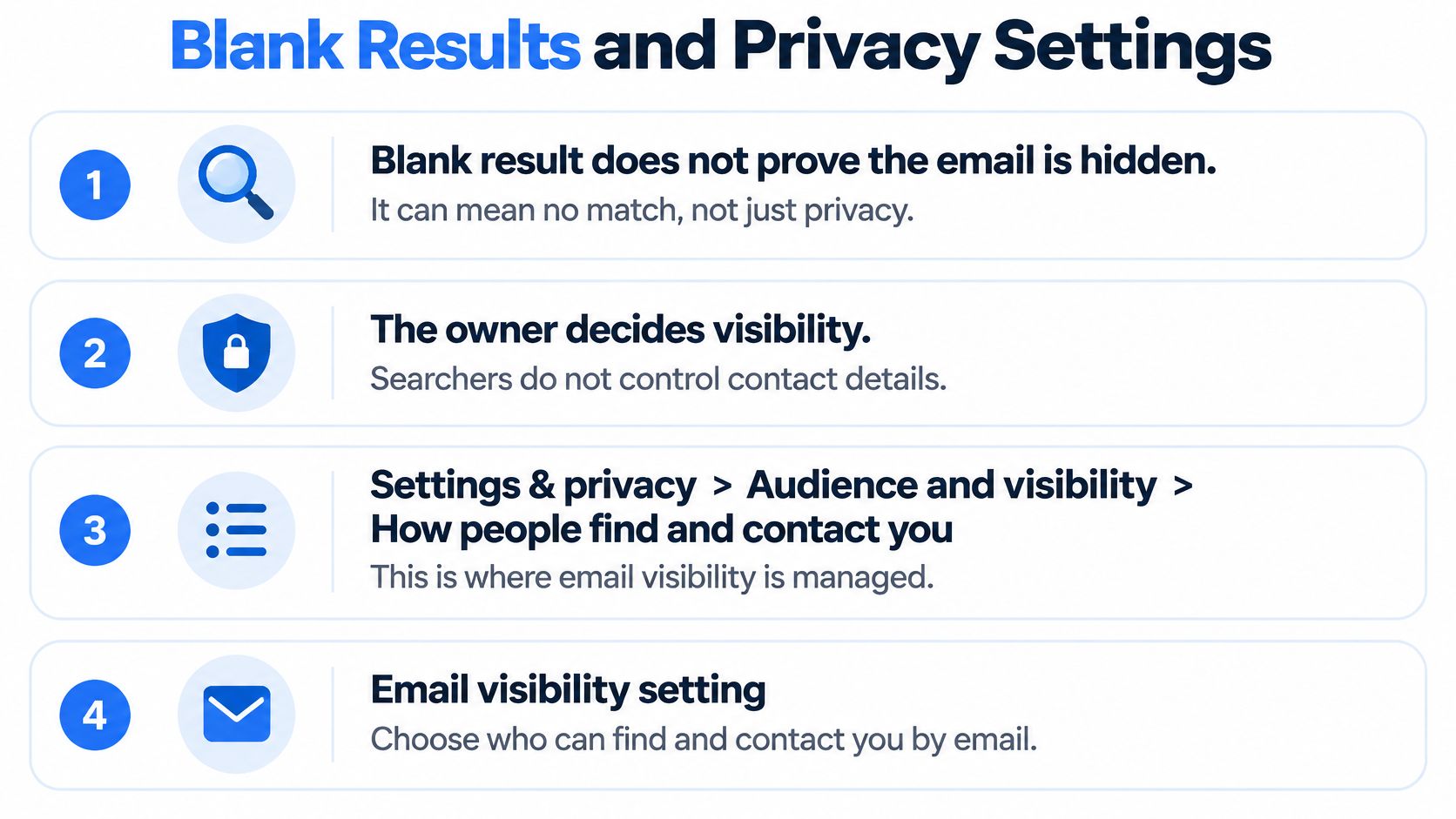
A blank result feels decisive. It isn't. Four different causes can produce the same empty screen, and the searcher can't tell them apart from the result alone.
The owner decides visibility, not the person searching. Facebook places separate controls for email and phone under Settings & privacy, then Audience and visibility, then How people find and contact you. Each contact detail has its own audience, so an email setting doesn't govern a phone number, and the reverse is also true.
The Address Has to Be on the Account First
An address can't support discovery until the owner adds and confirms it. Facebook's instructions for adding an email address require the owner to open Accounts Center, select Personal details and Contact info, choose Add new contact and Add email, then enter a confirmation code sent to that address. An address that hasn't completed that flow can't reliably identify the account.
Even a confirmed address may stay hidden. The discoverability audience can be Possible Connections, Friends of Friends, Friends, or No one. When the owner chooses No one for that contact detail, Facebook stops profile suggestions based on it. The account can be real, active, and correctly spelled, and your search still returns nothing.
Sorting One Blank Screen Into Four Causes
| Blank result cause | Where to check | What it means | Next step |
|---|---|---|---|
| Address never added or confirmed | Accounts Center, Personal details, Contact info, Add email, then confirmation code | Search cannot match the account | Owner adds and confirms the address |
| Discoverability set to No one | Settings & privacy, Audience and visibility, How people find and contact you | Suggestions blocked for that contact detail | Owner changes the audience setting |
| Alias, typo, removed work address, or second account | Compare the exact address with the one on the account | Same empty search, different cause | Re-check the spelling and confirm the account owner |
| Account exists but search does not reveal it | Email without the full name in the address | Blank even when the account is real | Use account identification instead |
Notice who can fix each row. In the first two, only the owner can. In the third, you may be holding a work address the person removed, an alias they never confirmed, or an address tied to a second account. In the fourth, Facebook search is not built to reveal the match.
Search visibility and inbox ownership are different facts. One describes a setting on a profile. The other describes who can read mail sent to an address.
If You're Checking Your Own Address
Clean only what you legitimately hold. Trim stray spaces, lowercase the domain, and keep the local part exactly as written. For a phone number, include the correct country code, because a missing code fails the same way a mistyped domain does.
Don't run repeated guesses to force a different answer. There's no authoritative public benchmark for a general email to profile success rate, so don't invent a probability. Label the outcome as confirmed, user-authorized recovery, or not verified. A negative result belongs in that last bucket. It never proves no account exists.
How to Recover an Account You Own
This is the one workflow Facebook designed email lookup to support. You're not discovering a stranger. You're proving you're the owner and restoring access, and every step is built around that proof.
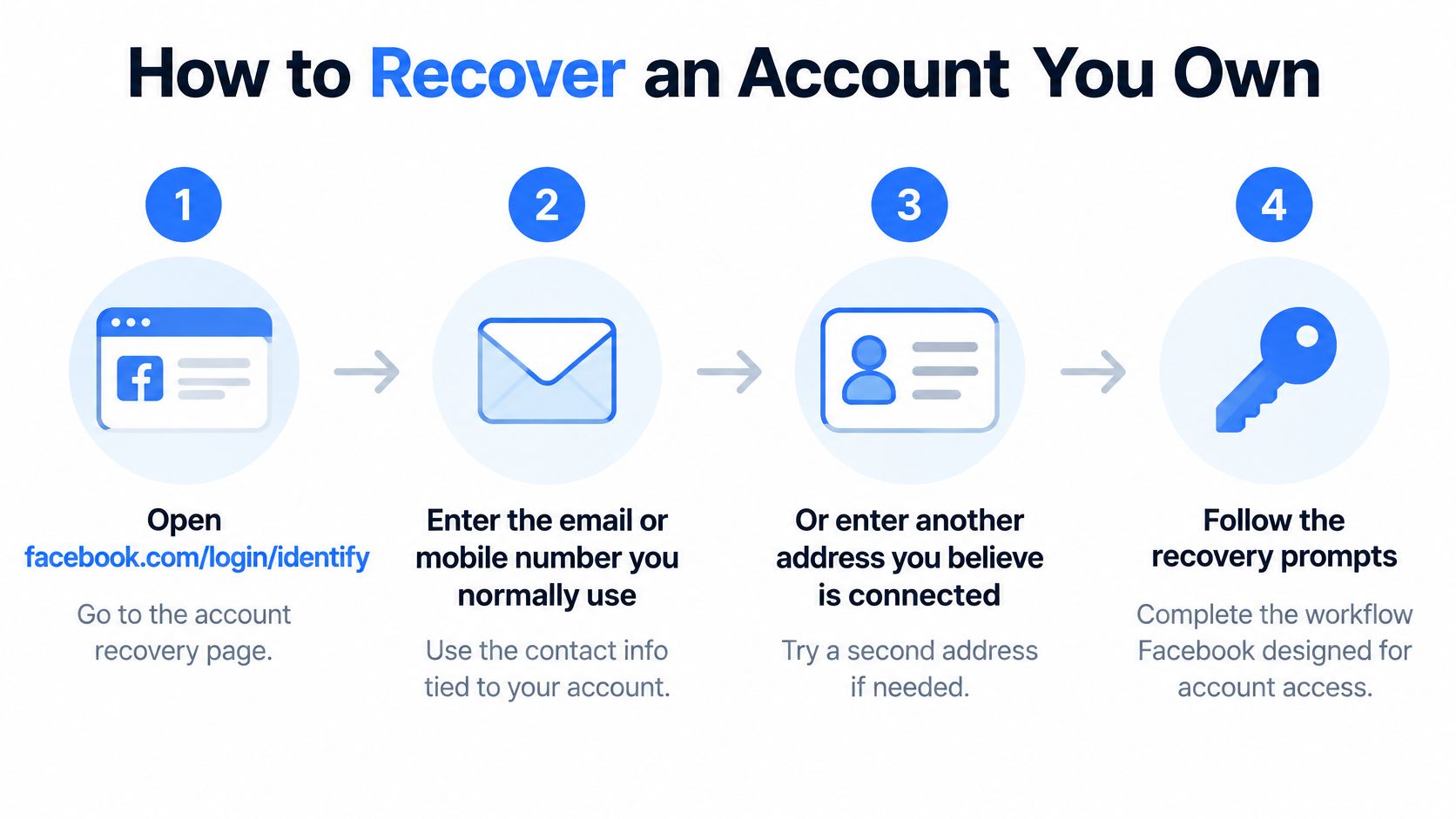
Meta's guidance on recovering an account when you can't access its email or mobile number directs you to enter an email address or mobile phone number at the account identification page. That address can be the one you normally use to log in, or another one you believe may be registered to the account. If neither works, you can search by account name or username instead.
The Official Sequence
- Open account identification: Go to facebook.com/login/identify and enter the email or mobile number you normally use.
- Try another identifier you own: Enter a different address or number you believe is on the account. A former address can still point to it.
- Search by name or username: If contact details fail, use the account name, or ask a friend to read the username from your profile URL.
- Say you've lost access: Choose No longer have access to these, or the equivalent Forgot account or Recover option, when you can't use the old email or phone.
- Supply a new contact method: Provide contact information that has never been used on the account before.
- Complete the ownership checks: Finish whatever verification Facebook requests before it authorizes a password reset.
Each outcome means something specific. A match on an old address means that identifier is still attached, not that you can read that inbox. A delivered reset code means that channel works today. A failed attempt means that identifier, device, or check didn't satisfy Facebook this time. It doesn't mean the account is gone.
When the Code Doesn't Arrive
Check your spam or junk folder first. Confirm your connection is working, wait several minutes, then request one more code. Repeated rapid requests muddy the picture, because you can't tell a slow inbox from a wrong address.
- Use a familiar device: A phone or computer you've logged in from before gives Facebook another ownership signal.
- Recover the inbox itself: If the email account is locked, use that provider's own recovery process. Facebook can't restore access to someone else's mail service.
- Add a backup channel: Keep at least one current email or phone on the account, and add a second one so a single lost inbox doesn't lock you out again.
- Separate your passwords: Use a different password for your email than for Facebook. One compromised password shouldn't hand over both.
Never give your email password or a reset code to a third-party lookup site. Facebook's recovery flow never needs a middleman holding your code.
Say you changed jobs and lost the work inbox on the account. The old address might still locate the profile in step 2, but you can't receive its code. That's exactly what step 4 exists for. You declare lost access, supply a fresh contact method, and let Facebook verify ownership another way. The address found the account. It couldn't prove control, and the flow treats those as separate steps.
Contact Uploads Versus a Public Directory
Contact upload sounds like a back door. Someone uploads an address book, Facebook matches the emails, and profiles appear. That picture misses who gave permission and what the match produces.
When a user enables the feature and grants permission, Facebook's explanation of contact uploading says it can access names, mobile phone numbers, and email addresses stored in that device's address book. Facebook checks whether a contact is associated with a Facebook, Messenger, or Instagram account. It then uses that information for suggestions and invitations.
What a Match Does and Doesn't Do
- It can suggest a person: The uploader may see a profile suggestion tied to a contact they already stored.
- It doesn't add friends: Contact uploading does not automatically add matched people as friends.
- It doesn't publish the email: A suggestion doesn't expose the address that produced it.
- It doesn't prove a public profile exists: The suggestion depends on the match and the other person's settings, not on a public listing.
The uploader also controls the scope. Depending on device settings, a person can upload every contact or only selected ones. So a match depends on another person's choice. Your address might sit in ten address books and match in none of them because nobody enabled upload or selected your entry.
Continuous Upload Changes the Timing
With continuous contact uploading on, this isn't a one-time lookup. Facebook uploads contacts again when the user logs in and when the address book changes. A new entry can generate a suggestion weeks later, which makes the result look spontaneous to everyone involved.
The non-user case is the part people miss. Uploaded address books can include names, phone numbers, and emails of people who don't use Meta products at all. Facebook may process your address because a friend stored it, even if you've never created an account. Processing isn't discovery. It doesn't create a profile, and it doesn't mean a search for your email should return one.
Practical rule for support teams: Ask whether the person uploaded their own contacts. Don't ask why a public search failed to do a job it was never built to do.
If suggestions are unwanted, turn contact uploading off or limit which contacts sync. And read related features with the same caution. Our overview of searching across social media makes the same distinction between platform suggestions and public directories. An upload is a permission you grant about your address book. It never authorizes looking up a stranger's inbox.
Legal Limits for Teams and Products
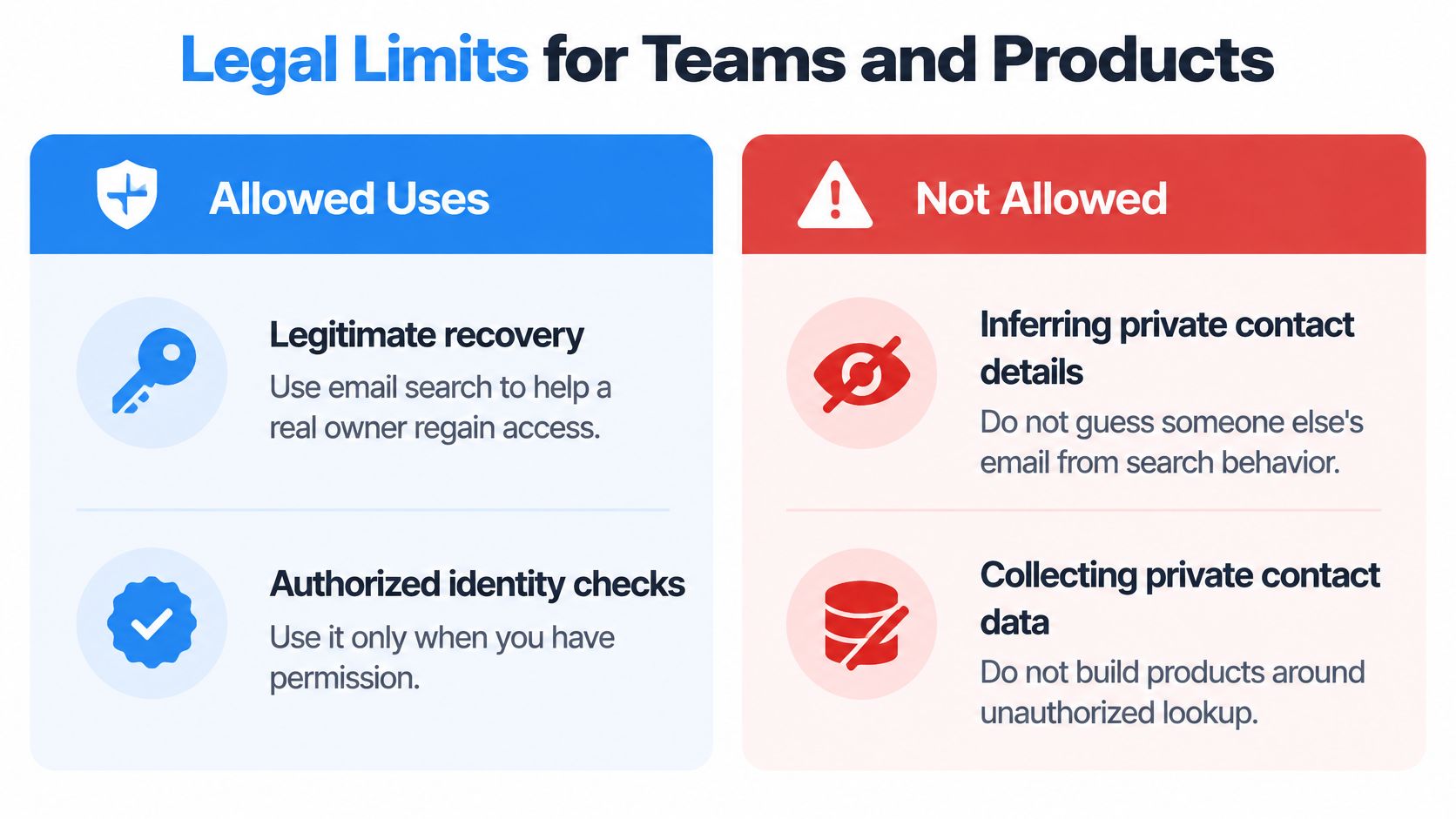
A Facebook email search is an account-recovery decision, not a contact directory. For a team building a product, that distinction sets the boundary: a profile hit does not prove who controls an inbox, and a blank result does not establish someone's identity.
The Phishing Boundary
A site or message that asks for an email password or a reset code is asking for credentials, not helping with a lookup. Facebook's account security guidance directs people to confirm ownership during recovery and keep their contact methods current, including a backup email or phone number. Scams often begin on social media, so treat unsolicited recovery offers with caution.
A useful result is a verified recovery path through Facebook's own screens. If an account may be compromised, secure the email account first, check whether recovery details have changed, use a familiar device, and review public contact visibility.
What CCPA and GDPR Require From Builders
An email address can be personal data. Under CCPA, consumers may have rights to know what information a business holds, request deletion, and opt out of sale or sharing. Under GDPR, processing needs a lawful basis for each purpose; people whose data came from a third party may need to be informed, and they can exercise access and erasure rights. The CCPA and GDPR compliance guide explains these obligations in product terms.
For a team handling contact data, practical controls include:
- Record the basis and source: Keep the purpose and source alongside each address.
- Delete when the purpose ends: Remove addresses that no longer serve the stated purpose.
- Avoid identity guesses: Don't infer private contact details from someone's name or profile.
- Avoid purchased lists and bulk mail: Use data only for a permitted, clearly defined purpose.
- Label outcomes accurately: Distinguish user-authorized recovery from an unverified match.
Fetchin is a B2B data API that retrieves publicly available professional information. It does not sell personal data, and its data may not be used for unsolicited bulk communications, harassment, discrimination, or unlawful purposes. For product enrichment, use an identifier the user is authorized to provide, rather than treating an email search as proof of account ownership.
Pick a Public Profile URL Instead
You don't need another lookup method. You need the right action for your situation, and there are only three.
If the Account Is Yours
Go back to account identification and finish there. Try your current email or phone, then an older identifier, then your name or username. Complete the ownership checks on Facebook's screens and add a backup contact method once you're back in. No third party can shorten that path for you.
If the Address Belongs to Someone Else
Stop. Don't guess local parts from their name. Don't add their contact to your address book to force a suggestion. Don't pay a site that asks for passwords or codes. If you have a legitimate reason to reach them, use a channel they've published or ask through a mutual contact. A search result was never permission.
If You're Building a Product
Change the key. For lead enrichment, recruiting, or an AI agent, ask your user or customer for a public professional profile URL instead of hunting for a private Facebook email. Then enrich the identifier you were given.
Fetchin is a B2B data API built for that pattern. It retrieves profiles, company data, job listings, and posts with a single API call, returning public professional data as structured JSON. A full profile lookup returns work experience, education, skills, and contact details, with 100+ attributes per profile.
Use the returned role, employer, and history only for purposes you're allowed to process. Keep each record tied to its source URL so every field stays traceable to the public page it came from. Don't use the API to hunt a private Facebook email, send unsolicited mail, or rebuild a contact list from someone else's inbox.
An email you guessed is a liability. A URL a person supplied is an input you can document, refresh, and delete on request.
Before you plan volume, confirm pricing, response times, and attribute coverage in the Fetchin documentation. Then write your data rules down: the source, the purpose, and the deletion path for every record. That paperwork feels slower than a lookup trick. It's also the reason your feature survives its first privacy review.
Stop trying to turn a Facebook email into a profile and start from a public professional profile URL your user supplied. Fetchin fetches structured public professional data for profiles, companies, job listings, and posts in a single API call, so your enrichment stays traceable to its source. Visit Fetchin to check the documentation and test it against a URL you already hold.