
A developer commits a production API key on Friday evening while fixing an enrichment job. By Monday, in this scenario, someone else has used it for thousands of live fetches. Your credit balance is depleted, legitimate customers are hitting rate limits, and your team is trying to distinguish customer requests from unauthorized traffic.
One leaked key, one weekend, and a very expensive bill. The immediate problem isn't just the exposed string. It's everything someone can do with it before you revoke it: retrieve professional records, consume paid capacity, and interrupt the features your customers depend on.
A real-time B2B data API makes that risk concrete. Every authorized fetch can trigger fresh data retrieval rather than return a previously stored record. A stolen credential can therefore provide both access to information and permission to spend against your account.
The scale of accidental exposure isn't hypothetical. GitGuardian's State of Secrets Sprawl report identified 12,778,599 newly detected secrets in public GitHub commits in 2023, up 28% year over year.
Treat every production key as a live purchasing credential, not a configuration convenience.
Effective API key security best practices follow the credential through its entire lifecycle: issuance, storage, transmission, rotation, monitoring, and revocation. Start by giving the key a controlled home, then restrict what its holder can do. Finally, make sure your team can recognize misuse and stop it without searching through deployment scripts during an incident.
Table of Contents
- 1. Store API Keys in a Dedicated Secrets Manager
- 2. Never Hardcode or Commit Keys to Version Control
- 3. Keep Keys on the Server Side Only
- 4. Apply Least Privilege and Separate Keys by Workload
- 5. Rotate API Keys on a Regular Schedule and After Incidents
- 6. Restrict Key Usage by Network, Environment, and Origin
- 7. Monitor Usage, Set Spending Alerts, and Detect Anomalies
- 8. Use Compliance-Aligned Data Handling and Incident Response for Keys
- How the eight API key security practices compare on risk, use case, and trade-offs
- Turn the Eight Practices Into a Key Lifecycle You Can Audit
1. Store API Keys in a Dedicated Secrets Manager
Put the production key in a dedicated secrets manager before the application makes its first live request. AWS Secrets Manager, HashiCorp Vault, Google Secret Manager, and Azure Key Vault are practical options. Choose the one your infrastructure team can operate and secure consistently.
The application should retrieve the credential at runtime through its service identity. Don't paste it into source files, spreadsheets, deployment tickets, or team chat. A runtime environment variable can deliver a secret to a process, but it isn't a substitute for controlling where the original value lives.
A survey reported by Help Net Security found that 50% of respondents had little or no visibility into which machines, devices, or services used their credentials. Central storage helps only if you also restrict and audit retrieval.

Retrieve at Runtime, Not During the Build
Say a SaaS enrichment worker runs in a container. Its workload identity reads the production secret at startup, so the value never enters the Docker image or Git history. A talent intelligence platform could use Vault policies to grant retrieval access only to its enrichment worker.
- Separate environments: Create distinct secrets for development, staging, and production.
- Restrict readers: Grant access to the specific service identity, not every developer or container.
- Cache carefully: Keep the credential in memory to avoid a secrets-manager lookup on every fetch, with a defined refresh path for rotation.
Runtime retrieval adds a dependency. Decide whether a worker should stop processing or temporarily retain its current credential when retrieval fails. For ephemeral workers, Beam's guide to serverless compute provides useful deployment context, but secret access still needs explicit configuration.
2. Never Hardcode or Commit Keys to Version Control
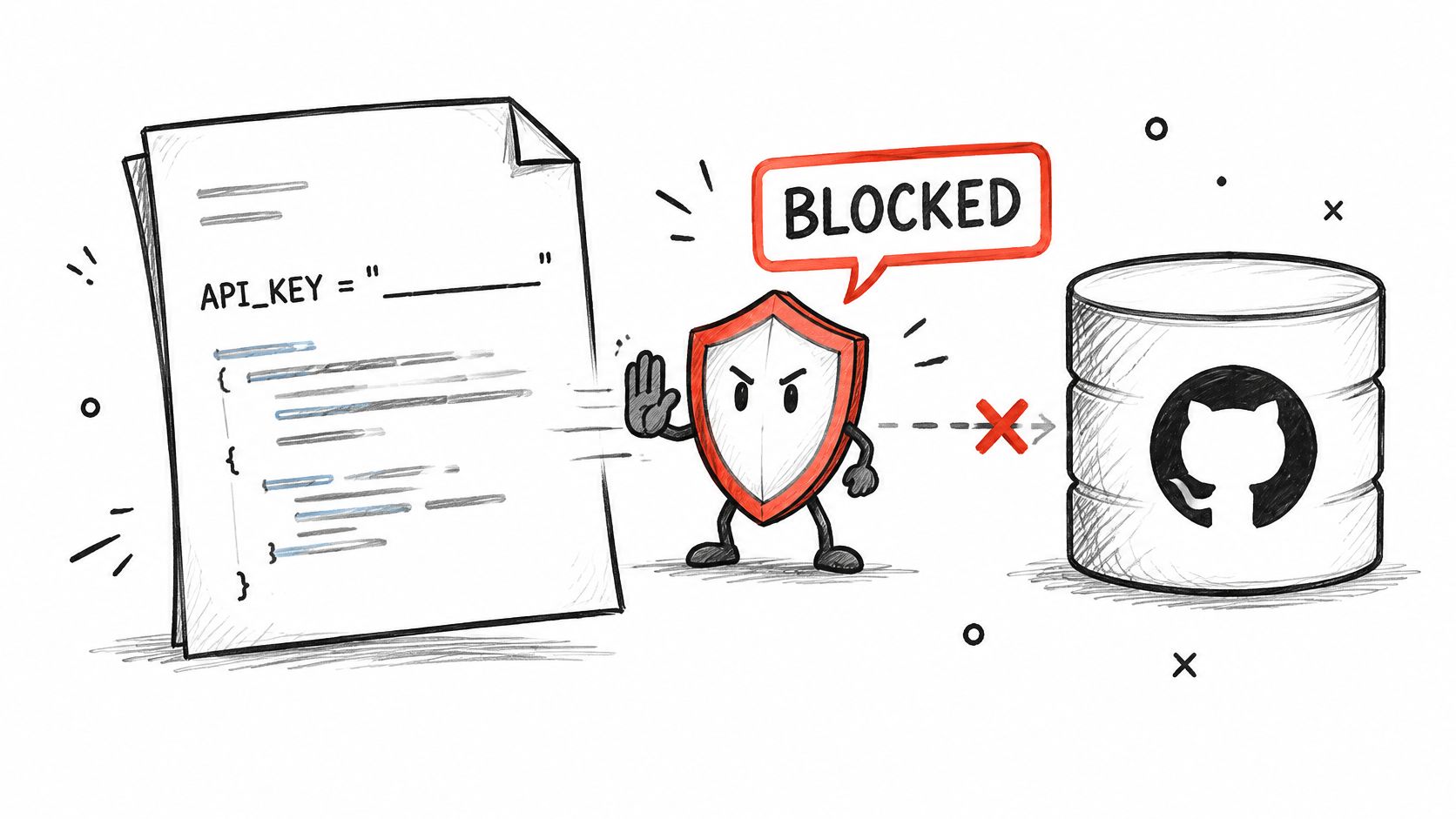
Deleting a credential from the latest file doesn't remove it from earlier commits. Treat a committed production key as exposed, even if the repository is private or the commit was quickly reverted.
GitHub's secret-scanning documentation explains that scanning covers the entire Git history across all branches. Your controls should inspect more than the current working tree, because yesterday's deleted configuration can still contain today's active credential.
Block Accidents Before They Reach the Remote
Use a pre-commit scanner such as Gitleaks or detect-secrets, then scan again in CI. Local hooks give developers fast feedback; CI catches commits made when hooks were absent or bypassed. Repository alerts provide another detection layer after a push.
For example, a product team can configure a custom detection rule for its credential format and reject matching commits. If a feature branch still exposes a live key, the response is revocation and replacement, not merely closing the pull request.
- Ignore local secrets: Add
.envand equivalent files to.gitignorebefore creating them. - Commit placeholders: Keep
.env.examplelimited to variable names and obviously nonfunctional values. - Inspect build output: Check packaged configuration, test fixtures, generated documentation, and container layers.
- Assign alert ownership: Send findings to someone who can identify and revoke the credential.
Scanners aren't proof that a repository is clean. Pattern matching can miss unfamiliar formats, and developers can leak credentials through screenshots or support attachments. Keep prevention and incident response separate: one reduces exposure, while the other stops an exposed key from remaining useful.
3. Keep Keys on the Server Side Only
A browser needs permission to use your product, not possession of your upstream API credential. Anything shipped to a browser or mobile app should be treated as public. Obfuscation and hidden configuration fields don't change that boundary.
The OWASP API Security guidance distinguishes client application authentication from user authentication. An API key identifies an application or project; it doesn't establish which human is acting or what that person may access.
Put Authorization Before the Paid Fetch
Say your sales intelligence product exposes an internal /enrich route. Your backend authenticates the user, checks their organization's permissions and quota, validates the submitted company URL, and only then attaches the upstream credential.
For our profile endpoint, GET /api/v1/profile, authentication uses an X-API-Key header. Add that header inside the backend request, never in frontend code. Return only the fields the feature needs rather than forwarding the complete response.
- Validate inputs: Normalize professional profile URLs and company URLs before forwarding them.
- Enforce tenant limits: Prevent one customer from spending another customer's allocation.
- Protect agent tools: Keep credentials in the execution service, outside prompts and model-visible tool output.
This video provides additional context on keeping API credentials protected.
A backend proxy adds code, latency, and operational responsibility. It also gives you a place to authorize requests, deduplicate repeated work, and stop abusive traffic. The same architectural separation is useful in integrations such as those described in the SendX guide to programmatic sending: the client requests an action, while the server holds the credential.
4. Apply Least Privilege and Separate Keys by Workload
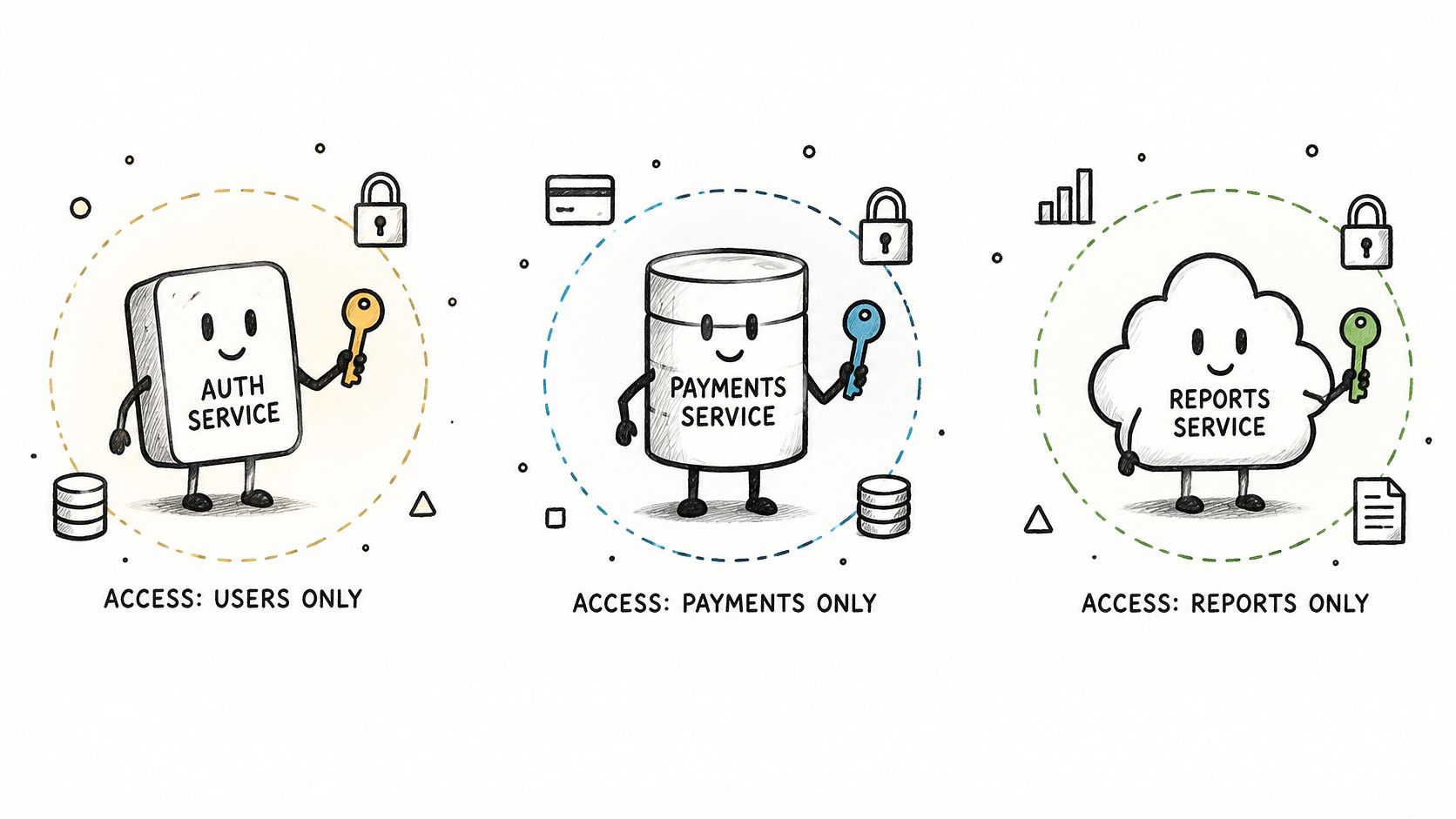
A nightly enrichment job and an interactive signup flow shouldn't share an undifferentiated master credential. They have different urgency, traffic patterns, and failure modes. Issue a separate key for each workload and environment, with a named owner.
The OWASP REST Security Cheat Sheet cautions against relying exclusively on API keys to protect sensitive, critical, or high-value resources. Possession of a valid string shouldn't bypass your own operation-level authorization.
Separate Identity From Capacity
Consider a SaaS product with an interactive enrichment feature, a background database refresh, and an autonomous research agent. Give each workload its own credential. Name it after the service, environment, and owner so an alert identifies something actionable.
Apply endpoint scopes, spending ceilings, and rate controls wherever supported. If the upstream service doesn't offer a particular restriction per key, enforce it in your backend or broker. Separate credentials improve attribution, but they don't automatically create separate budgets.
- Interactive feature: Reserve capacity for customer-facing requests.
- Batch worker: Limit concurrency and pause it when interactive traffic needs headroom.
- AI agent: Enforce a bounded task budget and restrict the operations its tool can invoke.
- Retired service: Revoke its credential rather than leaving it available for future convenience.
More credentials create inventory work. That's a worthwhile trade when each key has an owner, purpose, and retirement condition. Review the register quarterly and remove entries tied to discontinued services.
For agent-specific controls, Agntz's guidance on governing agent credentials offers relevant architectural context. The core rule remains simple: an agent shouldn't receive broader access merely because it can choose its own next action.
5. Rotate API Keys on a Regular Schedule and After Incidents
Scheduled rotation and emergency replacement solve different problems. Scheduled rotation limits credential age and exercises your deployment process. Emergency replacement stops a credential that may already be in someone else's hands.
GitHub's incident-response guidance identifies revocation as the immediate action for exposed credentials and recommends generating replacements. Don't wait for proof of abuse when there's a reasonable possibility that the value was disclosed.
Use Overlap Only When It's Safe
For routine rotation, issue the replacement, store it securely, and deploy it to every consumer. Verify successful requests with the new credential before retiring the old one. Include scheduled jobs and idle workers, not just services currently receiving traffic.
For example, a recruiting platform can test its rotation procedure in staging, then update production workers through its normal deployment pipeline. The runbook should identify each consumer and explain how to refresh an in-memory credential.
Incident exception: A known exposed key shouldn't remain active just to preserve a convenient overlap window. Revoke it and restore service with the replacement.
Employee offboarding also deserves a credential review. If a departing engineer could retrieve a shared production secret, remove their access and replace affected credentials. Don't assume deleting their dashboard account invalidates copies already stored elsewhere.
Choose a recurring rotation schedule based on workload sensitivity and your ability to automate it. Record the next rotation date, assign an owner, and alert before it becomes overdue. A calendar reminder without a tested deployment path isn't a rotation program.
The trade-off is operational: frequent manual replacement can cause outages and encourage shortcuts. Automate retrieval and deployment first, then make rotation routine enough that emergency replacement uses a familiar path.
6. Restrict Key Usage by Network, Environment, and Origin
A key copied from a worker should be harder to use from an unrelated machine. Network restrictions reduce where a credential can be replayed, but they don't replace authorization, monitoring, or revocation.
NIST's API-protection guidance includes encryption in transit and both user and service-to-service authentication and authorization among runtime protections. Apply those controls together rather than treating HTTPS as the complete security boundary.
Match Restrictions to Your Deployment
Say a recruiting platform sends production traffic through a NAT gateway. Where the API supports IP allowlisting, restrict the production credential to that gateway's egress address. Keep staging on a different credential so a test deployment can't access production capacity by accident.
Our API uses TLS encryption in transit, access controls, and enforced rate limits. Don't assume those protections imply that every restriction, such as a private endpoint or per-key IP allowlist, is available. Design unsupported controls into your own gateway.
- Use stable egress: A NAT gateway or controlled proxy makes outbound allowlists manageable.
- Require HTTPS: Protect internal hops carrying credentials as well as external calls.
- Keep secrets out of URLs: Use the authentication header and redact it from request logs.
- Treat origin checks cautiously: Browser origin restrictions aren't a substitute for keeping a secret server-side.
Fixed egress adds infrastructure cost and can complicate failover. Document how standby infrastructure gets approved before an outage forces an improvised exception.
Also distinguish access restrictions from traffic controls. The API rate-limit guide explains capacity management, but a permitted request can still be unauthorized at the customer level. Enforce both boundaries: who may request data and how much traffic they may generate.
7. Monitor Usage, Set Spending Alerts, and Detect Anomalies
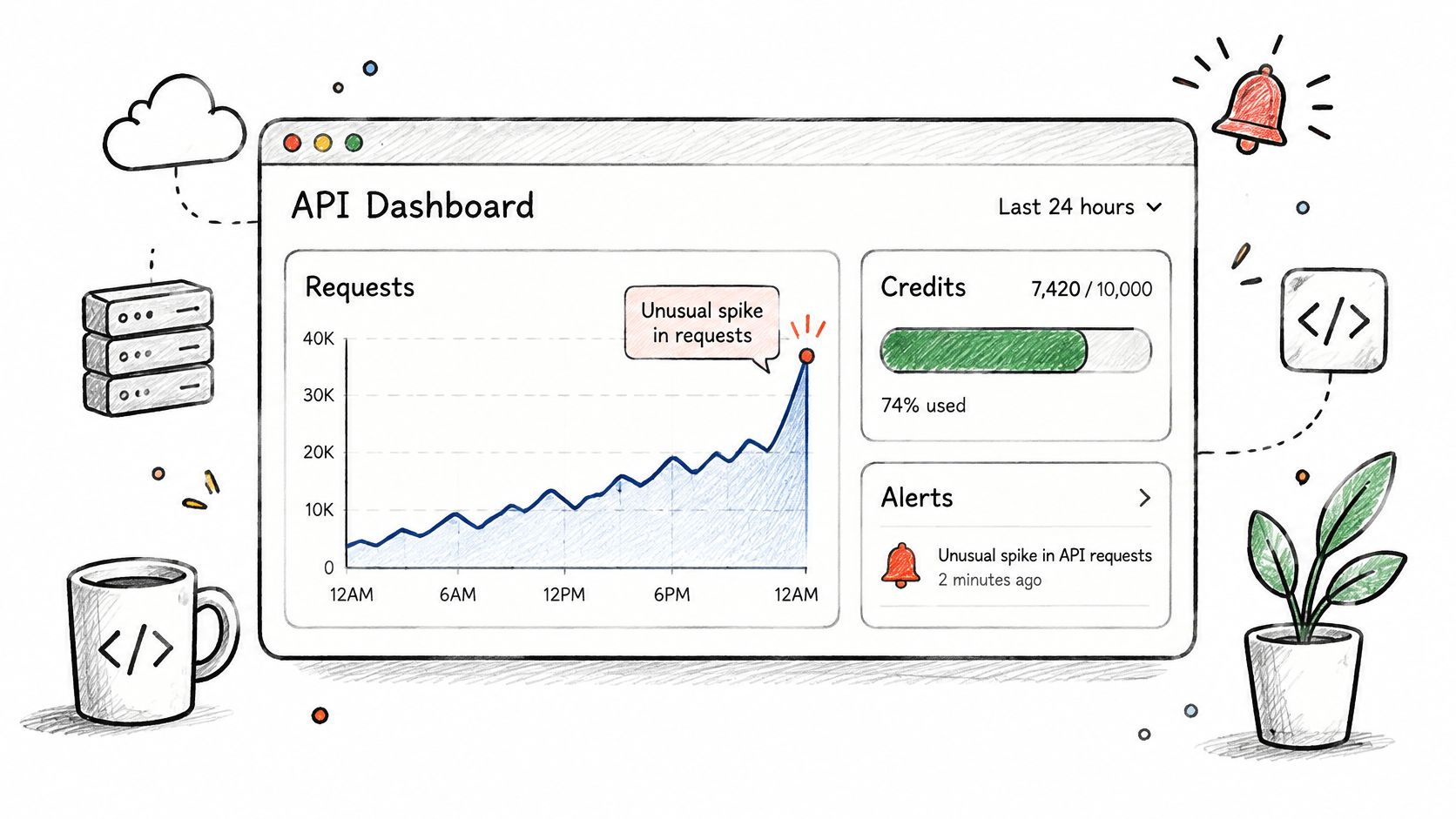
A stolen key may initially produce successful requests that look technically healthy. Watch credit consumption and request behavior, not just errors. An integration can remain available while someone spends its allocation.
Nightfall AI's State of Secrets report found that API keys represented 39% of secrets it detected in 2024. Treat credential misuse as an operational possibility that deserves an alert path, not just a repository hygiene concern.
Alert on Behavior You Can Investigate
Track key identity, workload, endpoint, outcome, request volume, rate-limit responses, and credits consumed. Record an internal request identifier so you can connect a paid fetch to a customer action without logging the credential itself.
Say a sales intelligence team sees unexpected overnight enrichment traffic. Its alert should identify the workload, show the affected endpoints, and link to a runbook for pausing the worker or revoking its key. A message that says only usage is high leaves the responder guessing.
- Budget alerts: Set warning and critical thresholds against planned spend in your own monitoring when needed.
- Behavior alerts: Flag unexpected endpoints, unusual timing, and sudden geographic changes where observable.
- Shared ownership: Route cost alerts to engineering and finance, with an engineering responder responsible for containment.
- Deployment correlation: Compare failures with recent releases before assuming malicious activity.
Our failed requests don't consume credits, including authentication and rate-limit errors. They're still useful security signals: repeated failures can indicate a broken deployment or someone testing a credential. Use the credit pricing model guide to distinguish billable activity from unsuccessful attempts.
Alerts don't impose a hard spending cap. If a runaway agent must stop at a budget boundary, enforce that boundary before dispatching additional fetches.
8. Use Compliance-Aligned Data Handling and Incident Response for Keys
Key security and data governance meet when someone uses an exposed credential to retrieve records. Public availability doesn't remove your responsibility for how your product stores, displays, or retains personal information.
OWASP's secrets-management guidance recommends immediate revocation and usage auditing after exposure. It also calls for logging authorized secret access without placing plaintext secrets in logs.
Contain First, Then Establish Scope
For a suspected production-key leak, use a written response sequence:
- Revoke: Disable the exposed credential before cleaning repository history.
- Replace: Deploy a new credential with equivalent or narrower access.
- Investigate: Inspect timestamps, source addresses, endpoints, outcomes, and credit consumption.
- Preserve evidence: Retain relevant logs and deployment records without copying the secret into incident tickets.
- Assess downstream access: Invalidate related sessions or tokens if the investigation shows they were affected.
- Escalate: Involve security and legal teams to determine notification obligations.
Say a talent intelligence vendor discovers a key in a public build artifact. Its incident record should connect that credential to its owner, permitted data flows, and retention rules. The team then determines what was requested, rather than assuming every accessible record was retrieved.
Use the CCPA and GDPR compliance guide alongside your own legal review. We retrieve publicly available information and act as a processor for client-submitted data, but your organization still needs an appropriate lawful basis, minimization, retention, and deletion process.
Closure test: The old key no longer succeeds, replacement credentials are deployed, unexplained activity has been investigated, and the detection path has been tested.
Deleting the exposed string isn't closure. A documented, verified loss of access is.
How the eight API key security practices compare on risk, use case, and trade-offs
| Practice | Primary Risk Addressed | Best For | Main Trade-off |
|---|---|---|---|
| Store API Keys in a Dedicated Secrets Manager | Keys exposed in code, files, or messages | Centralized, controlled runtime access to credentials | Added setup, cost, and dependency on the secrets service |
| Never Hardcode or Commit Keys to Version Control | Credential leaks through repositories and Git history | Preventing accidental exposure during development | Hooks can be bypassed, and scanners may miss keys |
| Keep Keys on the Server Side Only | Keys exposed in browsers or client apps | Apps that need to make authenticated API calls securely | Requires a maintained backend proxy and adds latency |
| Apply Least Privilege and Separate Keys by Workload | A compromised key granting excessive access | Services needing separate permissions, limits, and usage tracking | More keys to manage and rotate |
| Rotate API Keys on a Regular Schedule and After Incidents | Long-term misuse of exposed credentials | Production systems with rotation and incident procedures | Poorly coordinated rotation can cause outages |
| Restrict Key Usage by Network, Environment, and Origin | Stolen keys used from unauthorized sources | Infrastructure with stable egress and environment controls | Allowlist maintenance can complicate cloud and local development |
| Monitor Usage, Set Spending Alerts, and Detect Anomalies | Undetected misuse, unusual activity, or excess spending | Teams that need ongoing usage and cost visibility | Requires tuning alerts and responding to them |
| Use Compliance-Aligned Data Handling and Incident Response for Keys | Compliance gaps and slow response to key exposure | Organizations handling personal data or serving regulated customers | Ongoing documentation, reviews, and possible legal input |
Turn the Eight Practices Into a Key Lifecycle You Can Audit
A secure API integration needs a repeatable credential lifecycle, not a collection of settings that someone enabled during launch. Every key should have an owner, a purpose, a controlled storage location, and a clear path to retirement. Your team should be able to establish those details without viewing the secret itself.
The operational gap is significant. In its 2024 survey of 818 IT and security professionals, the Cloud Security Alliance found that only 20% of organizations had formal processes for offboarding and revoking API keys. Issuing credentials is straightforward; consistently retiring them requires ownership and follow-through.
Audit the Whole Lifecycle
Use this lifecycle checklist during integration reviews and before launching a new billable workflow:
- Issue: Create a workload-specific credential. Record its owner, environment, purpose, and allowed operations.
- Store: Keep the value in a dedicated secrets manager. Restrict retrieval to the service identities that need it.
- Transmit: Send credentials over HTTPS in the required header. Keep them out of URLs, client code, prompts, and logs.
- Rotate: Maintain a tested replacement procedure, including consumer discovery and credential refresh.
- Monitor: Track successful and failed requests, credit consumption, unexpected behavior, and alert ownership.
- Revoke: Disable exposed, abandoned, or retired credentials and verify that they can no longer authorize requests.
Start this week with the highest-impact pair of changes: move production credentials out of code and into a secrets manager, then set spending alerts for every production key. Neither requires redesigning your entire integration. Both address immediate risks: accidental disclosure and unnoticed consumption.
Next, put rotation and incident runbooks on a fixed schedule. Assign an owner to maintain each runbook and another engineer to test it. A procedure that only its author understands won't help much when that person is unavailable.
Keep the evidence lightweight but useful. Record who approved the key, which workloads consume it, when replacement was tested, and how revocation was verified. Don't turn the register into another place where secret values accumulate.
For live data integrations, security and cost control belong in the same operational review. A valid credential can retrieve information, consume credits, and occupy capacity needed by paying customers. Protect all of those boundaries, and measure success by how quickly your team can recognize misuse, stop access, and restore authorized traffic.
Fetchin is a real-time B2B data API that turns professional profile and company URLs into structured JSON using live, publicly available information. Visit Fetchin to explore the API, then build your integration around server-side credentials, controlled usage, and a tested revocation process.