
A sales ops lead just loaded a batch of company URLs into the CRM. Two accounts share one downtown tower, the enrichment job treats them as the same firm, and the pipeline now shows one owner for two unrelated tenants. That's the moment business address lookup stops being a string problem and becomes an identity problem.
You can confirm a street exists and still attach the wrong company, the wrong suite, or a home the business never shows customers. A useful result carries location type, confidence, and source context beside the address, so a downstream agent doesn't overwrite a record just because two strings look close.
What has to be in place before that lookup ships is a clear source choice, a predictable request, a match you can audit, a validation level, and a suppression rule for residential locations.
Table of Contents
- Why Business Address Lookup Needs More Than a String Match
- Choosing the Right Data Sources for Lookups
- Structuring Requests for Fast and Predictable Responses
- Normalizing Addresses and Resolving Ambiguous Matches
- Verifying Results and Handling Errors Cleanly
- Handling Residential Locations and Privacy Rules
- Putting Your Lookup Pipeline Into Production
Why Business Address Lookup Needs More Than a String Match
The merge above is ordinary, not exotic. Two tenants of one office building land on the same street line. The matcher sees equal text, the CRM collapses the accounts, and sales starts calling the wrong company. A street string never told you which legal entity sits behind that door.
A company is not the place it operates
Federal statistics draw a hard line here. An establishment is a fixed physical location or permanent structure where business activity occurs. The U.S. Census Bureau's Statistics of U.S. Businesses methodology covers more than 6 million single-unit establishments and more than 2 million multi-unit establishments. Its Business Register holds a record for each known U.S. establishment with paid employees, combining geography with industry, legal form, payroll, and employment.
That scale is the point. One company can run many locations. Several businesses can share one address. SUSB publishes annual counts of firms and establishments, employment, and payroll, and the Bureau describes the register as current and detailed for statistical use. A lookup built only on text can't carry that structure.
Practical rule: Store establishment identity next to the street line, or you will merge tenants that only share a building.
What a returned street address does not prove
A hit that returns only a street address may confirm where an operation sits. It does not, by itself, establish whether that result is a parent company, a subsidiary, a branch, or a headquarters. Reliable matching needs establishment-level identity, geographic normalization, and links to organizational attributes.
Before you ship, check three things on every accepted row.
- Identity link: Does the row point at a firm, or only at a building?
- Role of the site: Is this headquarters, a branch, or an unknown location type?
- Shared-address flag: Could another tenant already own this street line in your CRM?
If any answer is missing, keep the raw input and hold the merge. Text equality is a candidate signal, not a decision.
Choosing the Right Data Sources for Lookups
Source choice decides how stale a headquarters can get before your product notices. Three patterns cover almost every pipeline I've wired.
| Approach | Data freshness | Best fit |
|---|---|---|
| Static export | Frozen at the last import | One-time backfill of known accounts |
| Periodic index | Refreshed on a schedule | Batch enrichment that can wait |
| Live fetching | Retrieved on each call | Features that need the current public page |
What each approach gets wrong
Static exports are cheap and reproducible. They also go quiet the day after the file lands. A company moves, the export doesn't, and your CRM keeps mailing the old suite.
Periodic indexes are better for nightly jobs. They still lag. A headquarters change on Tuesday can sit invisible until the next crawl window, which is a bad fit for an agent that answers a user in the same session.
Live fetching pays latency on every call and returns the page state you can defend. It fails more visibly when a URL is bad, which is preferable to a silent stale hit.
Teams that compare address lookup services should start with freshness, not with how pretty the address string looks. A beautiful formatted line from last quarter is still the wrong building.
Where a live B2B data API fits
One option in that live group is a B2B data API that turns a professional profile URL or a company URL into structured JSON, fetching publicly available information on each call. Measured behavior under production load sits near a one second median and about 1.5 seconds at P95. The company endpoint returns firmographics such as headquarters and a verified domain, which is the organizational context a street line lacks. A practical walkthrough of that company payload is in this company lookup API guide.
Input quality still dominates. A dead company URL, a personal profile with no employer, or a domain that points at a parked page will not become a headquarters no matter how fresh the fetch is. Reject those inputs before you spend a match.
Structuring Requests for Fast and Predictable Responses
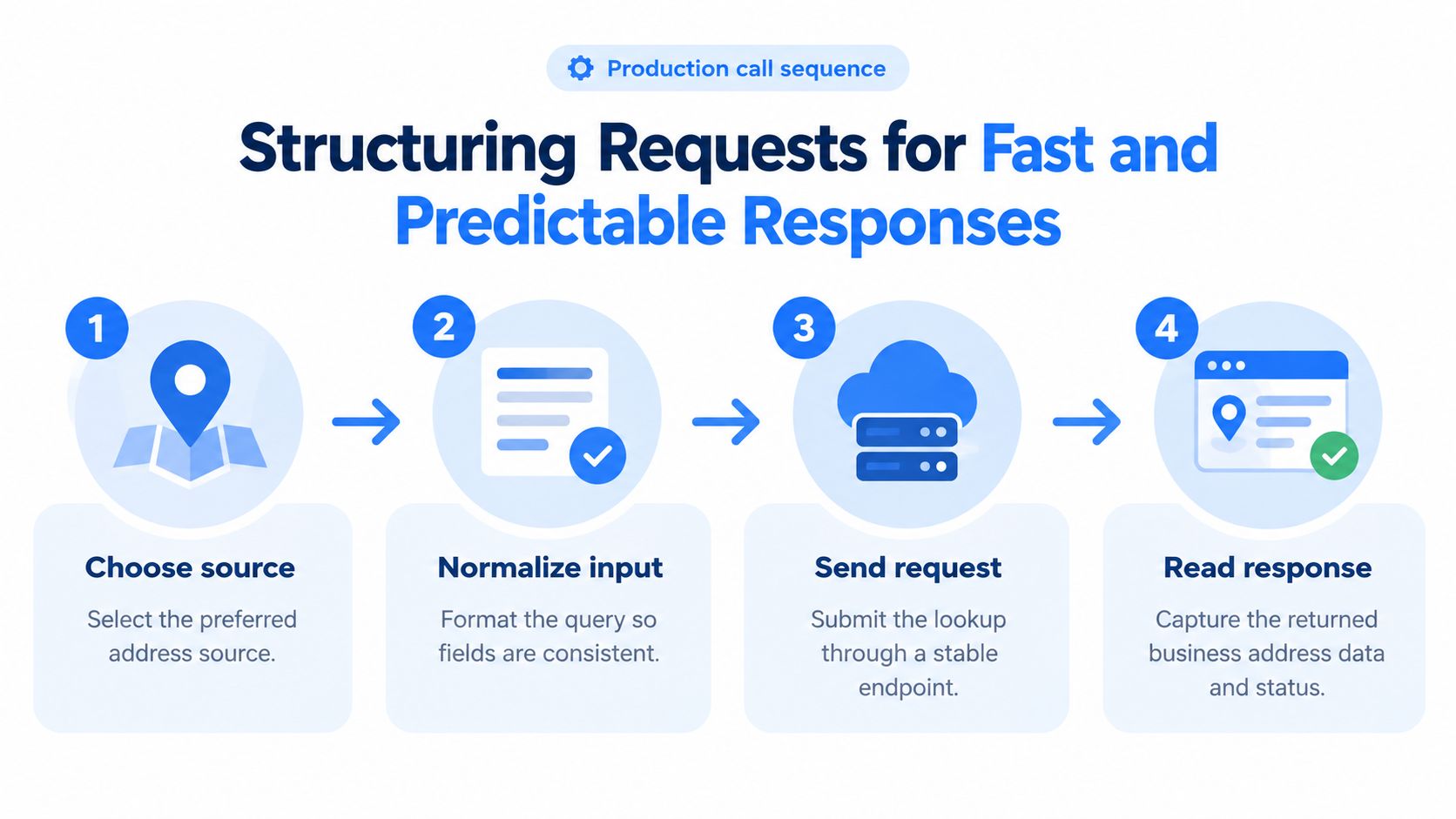
A stable call is a short sequence, not a clever query. Validate, send one URL, read a schema you already know, and store the raw input beside every derived field.
The call, in order
- Validate the input. Require a country and a postal field when you already have an address fragment. Require exactly one professional profile URL or company URL when the address has to be fetched. Drop empty strings and mixed batches in the same request.
- Send one entity per call. A single URL keeps retries, credits, and logs attributable. Batch later, at your own queue, not inside the lookup.
- Read structured JSON. Pull headquarters components, known offices, domain, and any location text as separate fields. Don't concatenate them into one display string before you've stored the parts.
- Keep the raw input. Persist the original URL, the timestamp, and the response status next to normalized fields. Later audits need the request, not only the pretty address.
Default to the synchronous response when a user is waiting in product. Switch to asynchronous delivery when a workflow can tolerate queue time, such as overnight enrichment of a recruiting list. Mixing the two modes in one code path is how timeouts get mislabeled as "no address."
Rate and credit planning
Self-serve capacity starts at 5 requests per second. Dedicated capacity, provisioned in two to five business days, is the move when sustained throughput will sit above that for days, not for a single spike. Plan credits from the dashboard's live pricing view before you promise a batch window to sales. The failure modes of tight limits are covered in this note on API rate limits.
Ship the field list with the endpoint. If a consumer can't see match inputs later, you can't explain a bad merge.
Fields worth storing on day one: raw URL, normalized organization name, street components, postal code, country, response mode, and the timestamp of the fetch.
Normalizing Addresses and Resolving Ambiguous Matches
Treat resolution as probabilistic entity matching, not as search. Two records can share a postal code and still be different suites, different firms, or different spellings of the same building.

Normalization, then candidates, then a score
Normalize before you compare. Work through Unicode, casing, punctuation, abbreviations, postal codes, unit identifiers, and country-specific field order. Then parse into components: organization, street, locality, region, postal code, and country.
Generate candidates with a blocking key. Postal code is the documented example: it shrinks the comparison set without pretending the code is the identity. Compare field-level similarities and run a calibrated classifier. Return a confidence score, a canonical address, a geocode, and an auditable reason code. Low-confidence cases go to review. Forcing a match is how the downtown-tower bug comes back.
In a peer-reviewed evaluation, conditional-random-field segmentation followed by supervised matching reached precision as high as 0.955. Ensemble approaches raised precision to approximately 0.973 under tested error conditions, using 10-fold cross-validation on both precision and recall. Those figures, reported in address matching research in Transactions in GIS, are model benchmarks, not a guarantee of production accuracy.
False positives that belong in a queue
- Shared buildings: "200 Market Street" matches two tenants. Without a suite, do not merge.
- Missing units: The source dropped "Suite 400." Primary street agreement is not delivery identity.
- Transliteration: "Mueller" and "Müller" can be the same firm or two neighbors. Don't auto-accept on street alone.
- Postal-code collisions: One code, many organizations. Blocking found the candidates. It didn't pick the winner.
The same collision shows up for a local business you'd look up by hand. Someone who wants to browse Omaha no-gi training options still needs the academy's own location, not another tenant on that block.
A practical threshold is a 95% precision target on accepted matches, then measure recall only inside that accepted set. Review the rest.
Verifying Results and Handling Errors Cleanly
Agreement between two records is not the same as a deliverable, current address. Validation answers a narrower question: does this coded address exist as a known delivery record, and how complete is it?
A three-level validation hierarchy
The United States Postal Service Delivery Point Validation system checks whether a ZIP+4 coded address appears in the current USPS delivery file. As USPS describes DPV, the system can distinguish three states.
- Primary and secondary verified: Street and unit both check out. This is the only level to treat as delivery-ready.
- Primary verified, secondary missing or unverifiable: The building is known. The suite is not. Hold it.
- Not a known address: Don't write it into the CRM as confirmed.
USPS also defines a standardized address as one fully spelled out, using Postal Service standard abbreviations, or matching the current ZIP+4 file. Validity still depends on renumbering and completeness. USPS address quality guidance recommends comparing corrected records against the Address Management System. Normalize abbreviations before you match, because visually similar strings can sit in different validity states.
Errors you should not collapse
Addresses are dirty before lookup starts. A Deutsche Post study of 200 companies reported that 6.5% of addresses contained spelling errors and 6.4% were not deliverable. A later summary of that work put the broader finding at roughly one in eight customer addresses containing an error. Graph-based matching research improved recall by 9.3 percentage points while holding 95% precision across India and the UAE, as described in this address-matching study. One global threshold underperforms across markets.
Keep three outcomes in separate fields: no result, ambiguous result, and validated match. Never overwrite a company record with "no result." Failed requests on a professional data API that doesn't charge credits for failures should be retried on a budget you can afford during an outage, with backoff, not with an instant tight loop. Store a validation timestamp. Address status changes, and an old "validated" flag is not a current one.
Geocoder coordinates are not suite identity. A postal-only match is not a building. Headquarters is not a branch.
Handling Residential Locations and Privacy Rules
More precision is not always better data. The common assumption, that the best lookup returns the most specific address, fails as soon as the location isn't a public place of business.
What you cannot infer from a name
A business name or a domain does not tell you whether the address is a storefront, a service region, or someone's home. Google's service-area guidance lets service-area businesses, such as plumbers operating from home, hide the physical address and show only a service area. Google's storefront rules add two constraints product teams skip. A service-area business should generally keep one profile for its central operating location. A business that serves customers at its premises can display the storefront. A virtual office is not acceptable unless it is staffed during business hours, so a listed address is not proof of a customer-facing site.
Privacy rules are moving the same direction. France's August 2025 rules allow business managers to request confidentiality for personal residence information in company registers, limiting access to specified authorities and parties.
A coarse city, a service region, and a privacy status can be the correct product output. An exact home address often is not.
A decision you can implement
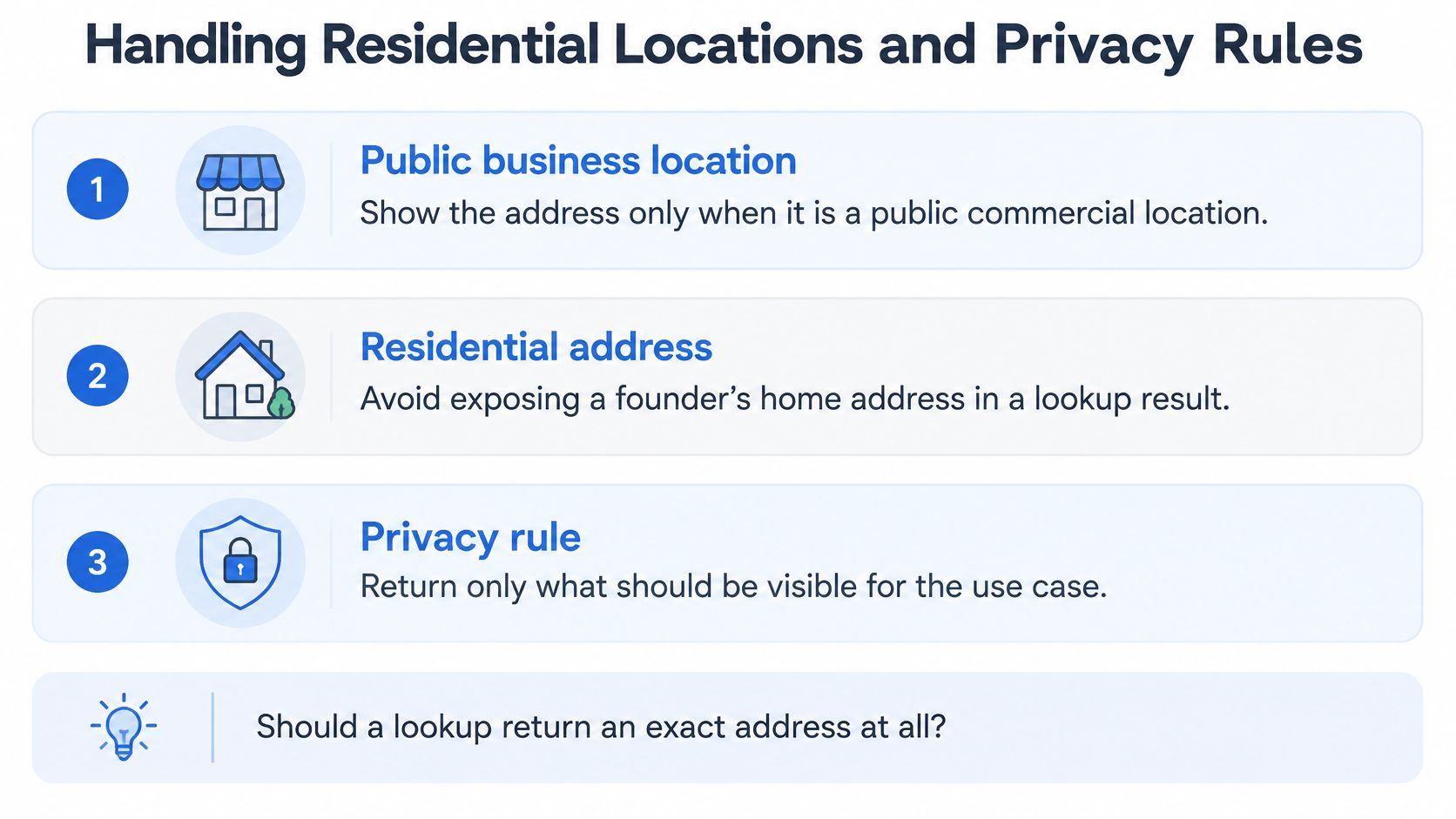
Classify location type before storage. Preserve the source context, including whether the address was hidden, virtual, or residential. Suppress when the address appears to be a residence or exists only for registration.
Apply this before a row reaches a CRM or an AI agent.
- Public business location: Return the address when the source shows a commercial site customers can visit.
- Residential or hidden address: Return a city or service area, plus a privacy status. Do not emit the street.
- Virtual or unstaffed office: Label it. Don't treat it as an operating storefront.
- Unknown type: Return no street. Send it to review.
Public-data sourcing and alignment with CCPA and GDPR set a floor. They don't replace your suppression rules. A short briefing on those B2B data rules is worth reading beside your own policy, not instead of it.
For lead enrichment, recruiting, and agents, a coarse location with confidence and privacy status is often more useful than an exact address the business does not serve customers from.
Putting Your Lookup Pipeline Into Production
The production sequence is short because each earlier decision already has an owner. Pick the source for the freshness you can defend. Shape one URL per call and keep the raw input. Normalize, block, score, and route low confidence to review. Validate to a DPV-style level before you call anything delivery-ready. Suppress residential and hidden locations before storage.
What to wire into the product
Enrichment, recruiting, and sales intelligence can share one pipeline if the stored record is explicit.
- Raw beside normalized: Never let a formatter be the only copy.
- Match level on the row: Primary only, suite confirmed, service area, or suppressed.
- False-merge monitoring: Slice by country, language, and address type. A single threshold will hide the market where you are joining tenants.
Don't geocode before normalization. Don't accept a postal-only match as a building. Don't conflate headquarters with a branch just because both strings contain the city.
The batch to run first
Start on the free tier of 1,000 credits. Run a small batch of professional profile URLs and company URLs through the workflow above. Check live pricing and rate settings in the dashboard before you move to monthly credits or dedicated capacity. Read every suppressed row yourself. If a home address or a virtual office still lands in the CRM, the pipeline is not ready, regardless of how fast the response was.
Fetchin is a B2B data API that fetches public professional and company data, including headquarters and known offices, as structured JSON for the kind of business address lookup this pipeline depends on. If you are about to wire location type, confidence, and suppression into enrichment or an agent, start with a small batch and see the payload before you trust it. Visit Fetchin to look at the company endpoint, credits, and rate settings.