Your sales team's account ranking looked right yesterday. Today a target account's executives are reacting to a competitor launch, asking migration questions in comments, and sharing the post to their own networks, and your dashboard knows none of it because you built it on a snapshot. That's the core problem with most social engagement examples. They describe activity, not the live record your product needs to act.
Fetching engagement records on demand fixes the staleness, but only if you treat each type as a different signal. A reaction is cheap and fast. A comment carries intent in the author's own words. A share maps amplification, a mention maps relationships, and a live question can be worth more than a week of likes. Used well, those records power a leaderboard, a lead score, a sentiment feed, or a trend alert. Used badly, they become a vanity count nobody trusts.
The eight examples below skip brand stories and show the working system instead, including what a payload should preserve, how you'd replicate the tactic, and what outcome you'd measure. If you want the marketing side of how teams turn engagement into buyer action, start there, then build the data layer underneath it. In 2024, 48% of surveyed consumers said they interacted with brands on social media more than previously, according to Sprout Social's survey of 4,400 consumers. More interaction only helps if you can fetch it while it's still current.
Table of Contents
- 1. Reactions and Likes
- 2. Comments and Threaded Discussions
- 3. Shares, Reposts, and Amplification
- 4. Mentions and Tags
- 5. Polls and Surveys
- 6. Hashtag Campaigns and User-Generated Content
- 7. Live Events, Streams, and Q&A Sessions
- 8. Employee and Customer Advocacy Programs
- How each engagement type compares for product and data teams
- Turning Engagement Examples Into a Working Data Plan
1. Reactions and Likes

A reaction is the lightest signal you'll get, one tap for approval, celebration, support, or insight. Don't dismiss it for that. At volume, reaction type tells you how an audience feels, not just that they noticed, and the growth curve in the first hours often predicts whether a post will travel.
Say a sales intelligence tool ranks target accounts by how many of their executives reacted to industry posts in the past 30 days. A talent platform does the same for candidates who keep reacting to posts about one technology stack. In both cases the useful payload isn't a total. It's post_url, actor_profile_url, reaction_type, reacted_at, and author_follower_count, fetched through an engagement API for post reactions as structured JSON your ranking job can read directly.
Normalize Before You Rank
Follower count changes what a rate means. In Favikon's 2025 benchmark of more than 6 million profiles, nano creators with up to 10,000 followers achieved top quartile Instagram engagement rates above 3.4%, while mega influencers often had baseline rates below 1.5%. A raw total will always favor the big account.
- Pair count with age: Divide reactions by reach or followers and by hours since publication, so a fresh post isn't punished.
- Store snapshots: Fetch shortly after publication, then again at intervals, because velocity and decay beat a final total.
- Keep the breakdown: Ten insightful reactions from practitioners can outweigh fifty generic likes for a B2B lead score.
2. Comments and Threaded Discussions
Comments cost effort, so they reveal what reactions can't, including objections, buying questions, and expertise in someone's own words. Thread depth matters too. A one line compliment and a three reply debate about implementation cost shouldn't land in your CRM with the same weight.

Say prospects start asking about migration costs under a competitor's product announcement. A sales team that fetches comment_text, author_profile_url, parent_comment_id, thread_depth, and created_at can route those authors into an outreach queue the same day. An AI agent can also summarize the top objections across a launch thread, but only if the comments arrive as clean structured records from a professional data API for comment records instead of copied screenshots.
Sentiment isn't decoration here. In the Wharton analytics case study on McDonald's, reach and likes or reactions were positively and statistically significantly associated with sales, while negative comments also materially affected sales. That supports storing comment sentiment at post level rather than rolling everything into one engagement count.
Run sentiment and intent classification on the text, then review a sample manually to calibrate the model before you automate routing. Retain only fields your use case needs, and apply CCPA and GDPR principles such as purpose limitation and data minimization from the start.
3. Shares, Reposts, and Amplification
Nobody shares a post for free. A repost spends the sharer's own reputation, which makes amplification one of the strongest public endorsements you can measure, and also one of the easiest to misread if you count shares without asking who shared it.
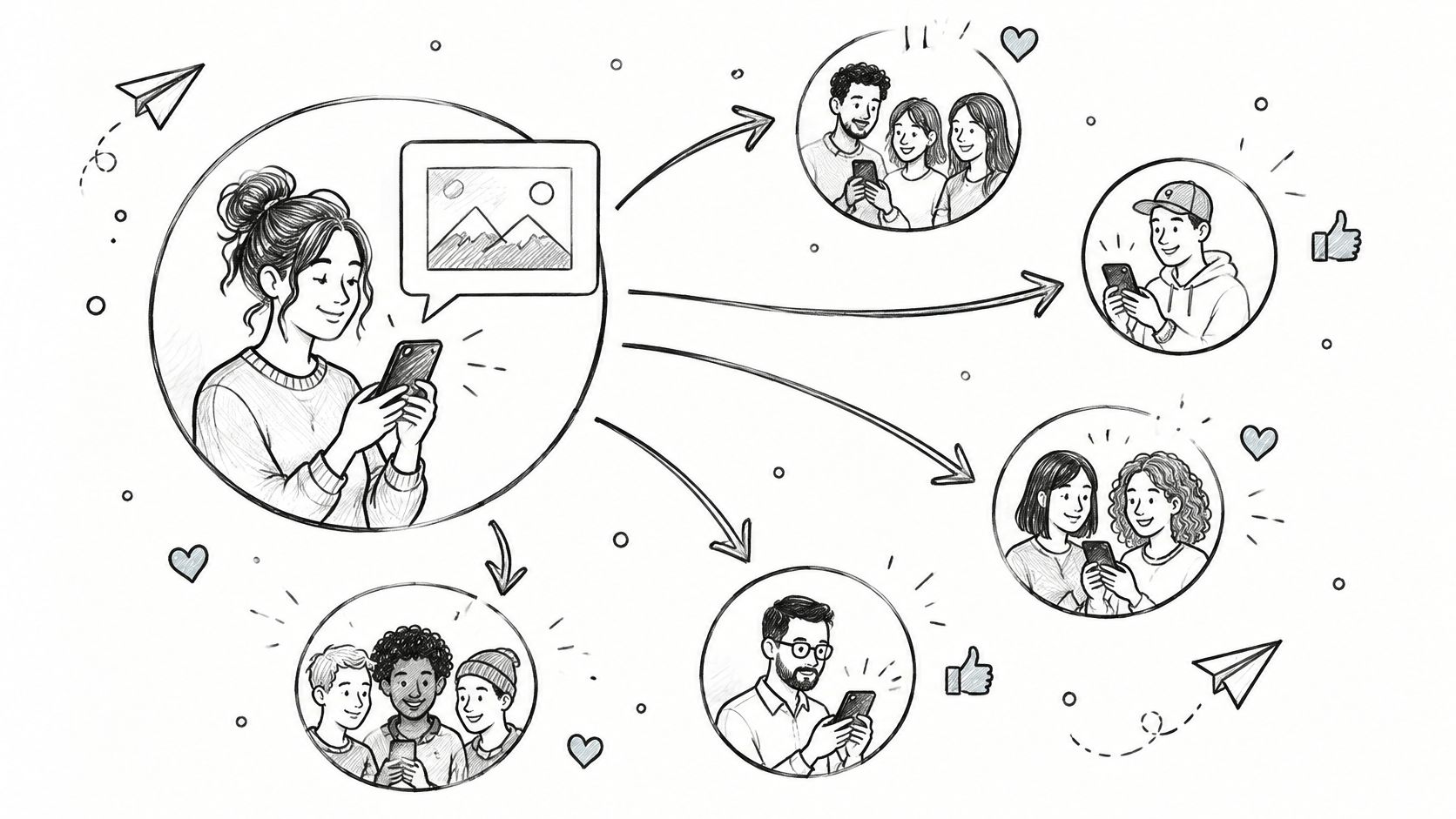
Say a partnerships team spots three independent consultants who repeatedly share a vendor's technical content. That's a beta program invite list, not a chart. Or say a research firm maps how one analyst's report spread to several hundred downstream reposts in a week. Both need the same payload shape, with original_post_url, sharer_profile_url, sharer_follower_count, commentary_text, and shared_at, which you can assemble from a posts API with share counts combined with reaction and comment records.
Count repeat amplifiers, not campaign spikes. One consultant who shares your technical posts eight times in a quarter is a relationship. A spike from people who never return is weather.
Visibility and interaction also move separately. A 2025 benchmark summarized by Socialinsider analyzing 125 million posts reported Instagram impressions rose 13% even as its engagement rate declined 28% year over year. Track share count and sharer reach together, and separate neutral reposts from commentary reposts so you can classify the sentiment of what the sharer added.
4. Mentions and Tags
A mention pulls a person or company into a conversation, usually with a notification attached. For a product team, that makes mentions relationship data. They show which companies work together, which executives get associated with which vendors, and which customers are complaining or advocating in public.
Say a prospect's operations lead tags a competitor in a complaint post. A sales rep who sees that mention early can reach out with a specific comparison instead of a generic pitch. Say a recruiting platform finds a candidate's former employer through tags on team announcements. That tag becomes an enrichment field, provided you resolve it properly first. If you need the consumer side of the mechanic, this guide to Instagram tagging for developers covers how tags behave from the poster's side.
Turn a Mention Into a Record
- Resolve the entity first: Match each mention to a company URL or professional profile URL before you store it, or duplicates will poison your graph.
- Classify the context: Tag the mention as partnership, complaint, hiring news, or endorsement before anyone acts on it.
- Watch frequency over time: Two companies mentioning each other repeatedly often signals a partnership before it's announced.
Enrich the resolved entity with firmographic and profile fields, such as industry, headcount, role, and company_url, and store mentioned_at alongside the source post. A raw name string helps nobody. A structured relationship record with context, timestamp, and a stable identifier is something a sales or recruiting workflow can query directly.
5. Polls and Surveys

Polls are the only format here where the audience produces categorized data for you. Readers pick from predefined options, results show as a percentage breakdown, and your payload is practically structured before it arrives, with question, options, vote_share, total_votes, author_profile_url, and closes_at.
Say a product team asks which integration customers want next, then uses the result to set its quarterly roadmap. Say a talent intelligence firm tracks responses to a remote work policy question across several industries. Both work because the answer is quantitative and comparable over time, which is exactly why polls suit market research and trend tracking.
Format assumptions deserve skepticism, though. In a 2025 analysis of more than 5 million posts, Instagram static images had a 6.2% engagement rate versus 3.5% for Reels. Simple, low production formats can outperform fashionable ones, and a poll is about as simple as interactive content gets.
Fetch results at several points during the voting window, because early voters often differ from late ones. Treat the outcome as directional and validate anything significant with a formal survey. Record the author's follower profile with the poll too, so you can segment responses by audience type instead of treating every vote as equal evidence.
6. Hashtag Campaigns and User-Generated Content
A hashtag campaign asks the audience to make the content. People post their own photos, videos, or stories under a shared tag, and for a data team that tag becomes a clean filter for participants, posts, and downstream action. It's also the format where raw activity lies most convincingly.
The Starbucks White Cup Contest in 2014 invited customers to decorate plain cups and share their designs online. The ALS Ice Bucket Challenge the same year went further, converting participation into donations. According to a Nature account of the 2014 ALS Ice Bucket Challenge, more than 17 million people uploaded challenge videos and more than 28 million people ultimately donated. Quality still mattered inside that volume, since only 5% of participants whose videos didn't mention ALS donated, compared with 25% among participants whose videos mentioned the disease.
That gap is the lesson for your schema. Store hashtag, post_url, author_profile_url, mentions_cause_or_brand, created_at, and any conversion event you can join later, not just a participation count. The short video below walks through how campaign participation mechanics work in practice.
Pick a tag specific enough to avoid collisions with unrelated conversations, and monitor it in near real time so moderation happens while the campaign is live. Document how contributor content may be used, and respect CCPA and GDPR requirements when you store participant records.
7. Live Events, Streams, and Q&A Sessions
Live engagement compresses a week of comments into an hour. A host broadcasts, the audience reacts and asks questions in real time, and the value decays fast, because a buying question answered tomorrow is usually a buying question answered by someone else.
Say a SaaS company runs a monthly live product demo and reviews chat questions afterward to prioritize feature requests. Say a recruiting firm runs a live hiring panel and flags engaged candidates from the comment stream. Both need live fetching at short intervals during the session, with session_id, author_profile_url, question_text, asked_at, and reaction_type flowing into a dashboard or alert while moderators can still respond.
Response speed is measurable, not a tone preference. A 2025 consumer survey cited by Reploom covering 965 US consumers found 32% expected a response to a direct message within one hour, while only 8% would wait as long as 48 hours. Build your workflow around that expectation instead of hoping patience is common.
Operational rule: Route new live comments to a named moderator queue immediately, measure first response time, and set a separate target for working hours versus evenings and weekends.
Follow up with attendees who asked substantive questions, and reference their actual question in the outreach. That single detail separates a useful live program from a broadcast nobody remembers attending.
8. Employee and Customer Advocacy Programs
Advocacy programs ask employees, customers, or partners to share company content from their own profiles. The message lands differently coming from a person than from a brand account, and the data tells you which individuals move their networks, which is rarely who you'd guess.
Say a software company asks engineers to share technical blog posts, then tracks which employees generate reactions and comments from target accounts. Say a customer marketing team finds users who consistently share product updates and invites them to case study interviews. Both need advocate activity joined to profile and company data, with fields like advocate_profile_url, company_url, shared_post_url, audience_reactions, and audience_company_match, so you can score reach quality rather than post volume.
Outcome links matter more than participation counts. A digital community transformation case study from Grazitti reported a 20% increase in employee engagement and a 15% productivity improvement after implementing an online community platform. Treat figures like those as directional until you've validated them against your own baselines and matched cohorts.
Measure Quality, Not Volume
- Set disclosure guidelines: Advocates should identify company supported or sponsored posts clearly.
- Score the audience: Weight engagement from target accounts far above engagement from colleagues.
- Verify network fit: Use profile and company data to confirm advocates reach your market, and honor CCPA and GDPR consent and access rights throughout.
How each engagement type compares for product and data teams
| Item | Engagement Depth | Best For | Main Limitation |
|---|---|---|---|
| Reactions and Likes | Shallow, one-tap feedback | Quick sentiment and content-resonance signals | Rarely shows intent or deep interest |
| Comments and Threaded Discussions | Deep, text-based interaction | Qualitative insight, intent detection, and expert discovery | Unstructured text needs cleaning and careful governance |
| Shares, Reposts, and Amplification | Strong endorsement and audience expansion | Finding advocates and tracking content reach | Reach estimates can be imprecise |
| Mentions and Tags | Direct, relationship-oriented interaction | Mapping public relationships and advocacy | Mentions may be misinterpreted or used as spam |
| Polls and Surveys | Active, structured participation | Directional research and comparing audience opinions | Self-selection bias limits representativeness |
| Hashtag Campaigns and User-Generated Content | High-participation content creation | Discovering contributors and measuring campaigns | Content quality, permissions, and hashtag hijacking |
| Live Events, Streams, and Q&A Sessions | Real-time, high-intensity interaction | Building trust and surfacing immediate questions or leads | Requires moderation and reliable technology |
| Employee and Customer Advocacy Programs | Ongoing, network-based participation | Extending reach through trusted individuals | Participation can be uneven or feel inauthentic |
Turning Engagement Examples Into a Working Data Plan
You don't need all eight signals on day one. You need the cheapest one that proves your feature works, then a path to deeper records when the first version earns its keep. Start with reactions, because they're inexpensive to fetch, easy to normalize, and good enough to set baselines for accounts, authors, and topics.
Add comments and mentions next, since that's where enrichment starts paying off. Comment text gives you sentiment and intent. Mentions give you relationships you can resolve to company and profile records. Together they turn a flat leaderboard into an account view a sales or recruiting team can act on without guessing.
Then fix freshness. Rankings, alerts, and live dashboards decay without warning when they read from stale snapshots, so move the signals your users check daily to live fetching on demand. Keep slower moving analysis, such as quarterly amplifier lists or poll comparisons, on scheduled fetches where freshness matters less.
Define your rate before you compare anything. Dash Social's 2025 benchmark calculated TikTok and Instagram engagement rate as likes plus comments plus shares divided by reach, and reported TikTok averaged 5.0% engagement compared with Instagram at 3.6%. Whatever formula you choose, store the numerator, the denominator, and the observation window with every result. An unexplained percentage is a future argument.
Passive exposure also deserves its own bucket. Recent EU wide survey data from Eurobarometer shows 76% of respondents unexpectedly encounter social and political content while browsing, while only 36% like or react to posts. Reach is not participation, and your schema should keep them separate from the start.
Pick your first build by outcome, not by format. If you need a leaderboard, start with normalized reactions. If you need buyer intent, start with comments and thread depth. If you need partnership or influencer mapping, start with shares and mentions. If you need event follow up, start with live comments and response time. The key metrics for audience interaction give you the measurement vocabulary, and a real time B2B data API such as Fetchin can supply the posts, comments, and reactions behind them as structured JSON. Build one signal well, measure whether it changes a product decision, then add the next.
Fetchin is a real time B2B data API that fetches posts, comments, reactions, and profile and company records from public professional data on demand, returning structured JSON you can drop straight into leaderboards, lead scores, and alerts. If you're building any of the social engagement examples above and you're tired of stale snapshots, try it on your first signal at Fetchin.