Most IT decision-maker email lists fail for a simple reason, they treat one title as the buyer. That's the wrong model. Foundry's 2025 research says an average of 26 people influence an organization's IT purchase decisions, and that rises to 30 participants at companies with at least 1,000 employees Foundry 2025 Role and Influence of the Technology Decision-Maker research. If your list is built around one CIO row, you're not building a buying system, you're building a false sense of coverage.
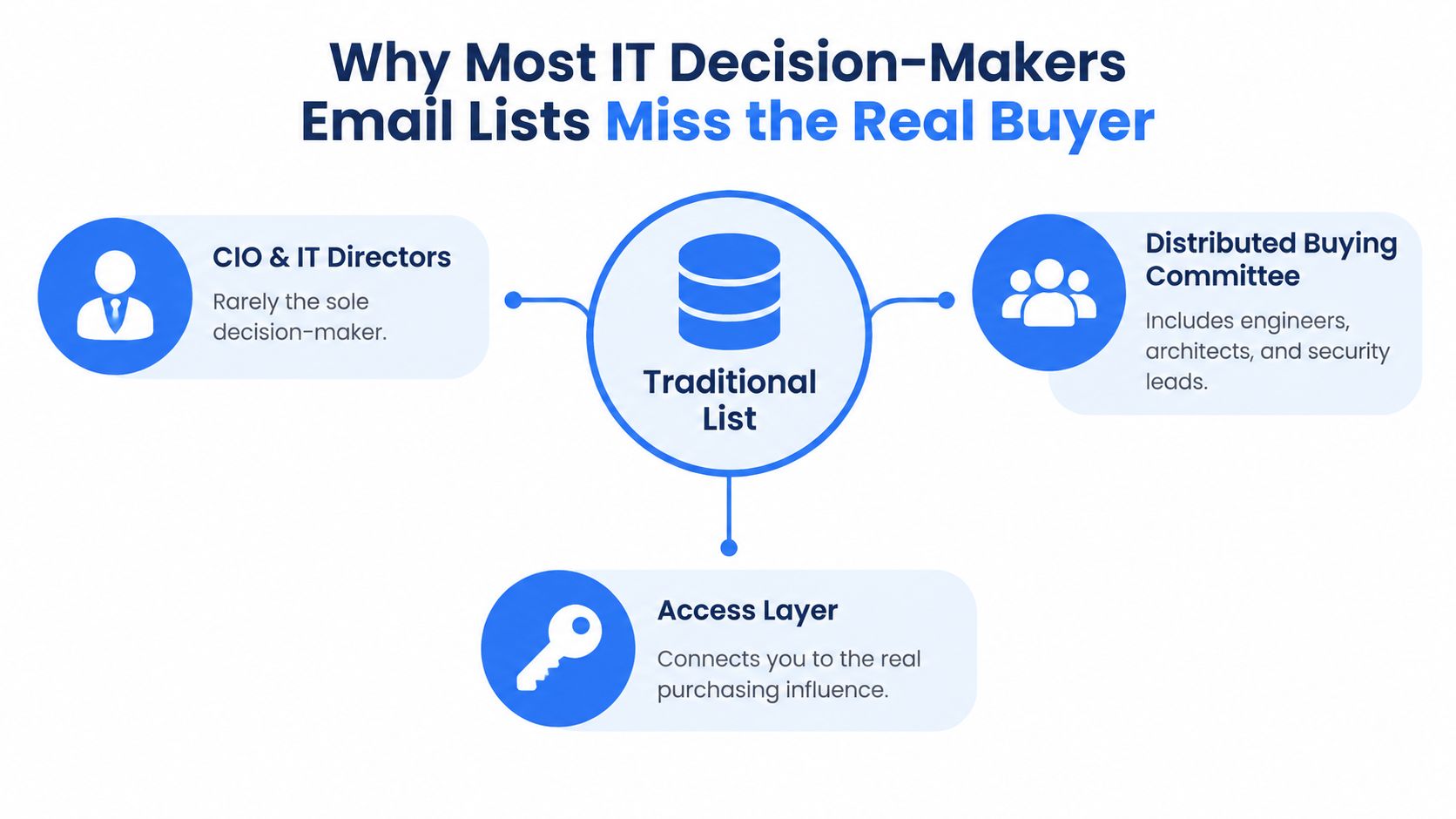
Table of Contents
- Why Most IT Decision-Makers Lists Miss the Actual Buyer
- Mapping the Personas That Belong on the List
- Sourcing Channels and Where a Live Data API Fits
- Verification, Enrichment, and Keeping Records Fresh
- Email Hygiene, Deliverability, and Outreach Readiness
- Compliance for IT Decision-Makers Email Lists
- The Operating Checklist for a Compliant, High-Performing List
Why Most IT Decision-Makers Lists Miss the Actual Buyer
A serious IT decision-makers email list is an access layer to a distributed buying committee, not a directory of executives. That distinction matters because role labels do not reliably show who shapes the deal. Foundry's 2025 research shows that 31% of respondents participated in determining business needs, up from 27% in 2023, and 24% participated in vendor-selection decisions, up from 18% Foundry 2025 Role and Influence of the Technology Decision-Maker research.
The audience reaches beyond IT. LinkedIn's EMEA buying-committee research found that IT was the most influential stakeholder in only 39% of technology-buying decisions, down from 75% in 2014, and that 56% of decision-makers sit outside IT LinkedIn EMEA buying committee research. A list built only around technical titles misses economic buyers, finance reviewers, procurement stakeholders, and business sponsors who can slow, support, or kill the purchase.
Practical rule: if your list only names one person per account, it is probably under-covered, not precise.
What the list actually needs to hold
Treat each record like account intelligence, not a contact export. At minimum, keep company size, department, seniority, technology responsibility, and likely purchase-stage involvement. Role labels help, but they are not enough on their own.
The field mix should let you answer three questions fast. Who influences the decision, who signs off, and who will reply to a relevant message? Once you can answer those, your targeting gets much sharper.
Volume still matters, but only after coverage is right. More names can widen reach, yet they can also hide the fact that you mapped the wrong functions. Quality means knowing whether the account is covered, not just whether the spreadsheet is long.
Mapping the Personas That Belong on the List
Start with the roles that move a technology deal. For core IT, that usually means CIO, CTO, VP of Infrastructure, Head of Security, and IT Operations Lead. Then add the adjacent functions that initiate, review, or block the purchase, especially Finance, Procurement, and business-unit sponsors.
The buying group is wider than a job-title export. Core IT may own the technical evaluation, but finance checks spend, procurement reviews terms, and business sponsors create urgency. If your list only covers one slice of that group, you are writing to the wrong decision layer. The practical fix is to map your buying committee and build the list around who influences, approves, and blocks the deal.
Prioritize roles by account type
Enterprise accounts need the broadest coverage because responsibility is split across more people. Mid-market accounts still need cross-functional mapping, but one person may handle several steps. Smaller organizations often compress evaluation and approval into one or two roles, so seniority matters less than actual responsibility.
Titles are clues, not proof. Confirm who owns the problem, who evaluates options, and who can authorize the change.
Build your taxonomy so each record can be filtered by function and buying stage. A security lead who can evaluate risk is not the same as a finance leader who controls spend, and neither is the same as a business sponsor who creates urgency. If your outreach treats them all like one generic “IT contact,” reply rates will stay flat.
The point is coverage, not volume. A stronger list shows who belongs in the account, who should get the first message, and who needs a different angle later. That is how you stop guessing and start sending to the right people.
Sourcing Channels and Where a Live Data API Fits
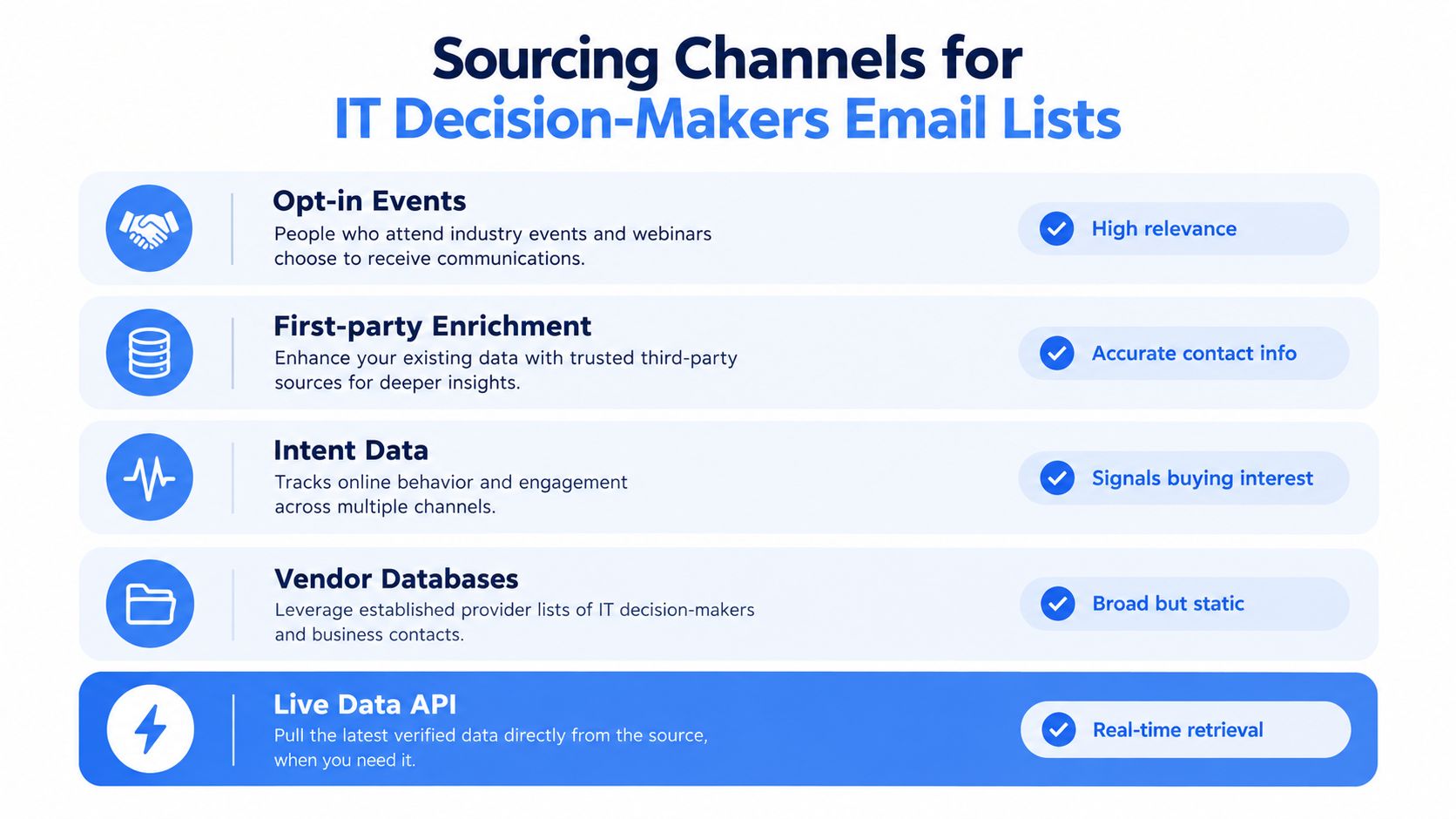
No single source solves list building for IT decision-makers. Opt-in events give you high-intent contacts, first-party enrichment fills gaps in your own CRM, intent data shows where interest is rising, vendor databases give you scale, and a B2B data API gives you live retrieval when freshness matters. The right stack depends on how much drift you can tolerate between the record you hold and the person in the seat today.
Live retrieval matters because roles change, companies reorganize, and static snapshots age fast. If your campaign depends on current employer, current title, or current company context, a periodic export can already be stale before sales uses it. Use live retrieval when current employer and title determine routing, and keep static exports for broad discovery. That is the point where a structured professional data API fits, because it fetches current profile and company fields on demand instead of serving an old cache.
Use Fetchin for that live retrieval layer. It returns current profile attributes and company data on demand, and its live data API workflow explains the retrieval pattern in more detail. That makes it useful when you need current firmographics alongside contact records, without pretending every source should do the same job.
Compare channels against the job they do
- Opt-in events, strong relevance, weaker scale.
- First-party enrichment, best for records you already own, especially when you need to correct gaps.
- Intent data, good for prioritization, but it does not replace contact mapping.
- Vendor databases, broad coverage, but often static and uneven on freshness.
- Live data API, strongest when current state matters more than periodic snapshots.
Use that lens instead of chasing raw contact count. Broad databases work for discovery, but they are a poor substitute for accounts where current role and company data drive the outbound motion. The more your workflow depends on present-tense accuracy, the more a live API earns its place.
Compliance posture matters here too. A source with strong freshness but weak provenance creates risk you will pay for later, in suppression work, record disputes, and buyer trust. The better choice is the one that gives you current data, clear sourcing, and a path you can defend when legal asks where the record came from.
Verification, Enrichment, and Keeping Records Fresh
Raw contact data isn't ready to send just because it exists. Start with syntax checks and domain MX validation, then separate hard bounces from temporary failures. After that, suppress role accounts and duplicates, and send uncertain records into manual review instead of guessing.
Operational rule: if a record can't be explained later, it's not ready for outreach.
Enrichment turns a contact into an auditable record. Keep role taxonomy, seniority, department, account identifier, source URL, verification timestamp, and a confidence score on every row. That matters because buying groups commonly span 5 to 16 people and as many as four business functions B2B buyer statistics.
Use refresh as a control, not a cleanup task
People change jobs. Titles drift. Accounts reorganize. If you only refresh after a campaign fails, you've already paid for stale data. Live retrieval helps because it returns current page-state information instead of a quarterly snapshot, which is exactly what you want when role and employer status affect segmentation.
The best workflow is blunt and repeatable. Validate first, enrich second, score third, suppress fourth, then timestamp everything. That sequence gives you records sales can trust and compliance teams can audit.
For a practical enrichment pattern, the internal guide at contact data enrichment fits this logic well. Use it to align your pipeline around the record's current usefulness, not just whether the mailbox exists.
Email Hygiene, Deliverability, and Outreach Readiness
Inbox placement is a sender problem before it is a messaging problem. Validity's 2025 benchmark report says B2B senders face harder inbox placement than B2C senders, and some mail never reaches the inbox, so list quality and sending infrastructure have to be managed as one system Validity 2025 Benchmark Report.
Open rates are a weak north-star now. Apple Mail Privacy Protection can inflate opens by 15 to 25 percentage points email marketing benchmarks, so opens can make a poor list look healthier than it is. Use clicks, replies, bounces, and complaints as the operational signals.
Launch with the right checks
Authenticate the domain first. SPF, DKIM, and DMARC belong in place before you scale a segment. Send a small test batch from that authenticated domain, then inspect what happens to hard bounces, complaints, and reply quality. Expand only after the segment behaves. Weak records do not improve because you sent more of them.
If you need practical help with mailbox ramping and sender reputation, the warm-up guidance from warm-up tips from Lead Printer is a useful reference. Use it with verification, not instead of it.
Track metrics that predict pipeline
| Metric | Why It Matters | Directional Benchmark |
|---|---|---|
| Delivered-to-positive-reply | Shows whether the list and message are relevant enough to earn a response | Track by segment |
| Positive-reply-to-meeting | Shows whether replies are turning into conversations | Track by segment |
| Meeting-to-opportunity | Shows whether meetings produce real pipeline | Track by segment |
| Bounce rate | Flags hygiene issues and stale records | Keep low and segment-specific |
| Complaint rate | Signals relevance or compliance problems | Keep very low |
| Unsubscribe rate | Shows whether the audience is aligned with the offer | Track by segment |
For a baseline, not a promise of cold outreach performance, a 2025 B2B benchmark report from email marketing benchmarks reports an average 39.64% open rate, 3.25% click-through rate, 8.62% click-to-open rate, 2.33% bounce rate, 0.15% unsubscribe rate, and spam complaints below 0.01%. Those numbers do not rescue a weak segment. They just give you a reference point.
The test that matters is simple. Compare a role-specific message against a generic executive message, hold cadence and domain constant, and report the result with confidence intervals. If a segment drives complaints or weak replies, stop it.
Compliance for IT Decision-Makers Email Lists
Compliance isn't a footer problem. It's part of the product. If your list can't explain where a record came from, why you're processing it, and how suppression propagates, you don't have a defensible outbound system.
For U.S. campaigns, the CAN-SPAM Act requires accurate sender and routing information, clear identification that the message is an advertisement, a physical postal address, and a visible opt-out mechanism, with opt-outs honored within 10 business days FTC CAN-SPAM compliance guide. The unsubscribe system also needs to keep working for at least 30 days after send. That means your list has to retain suppression records, not just contact records.
Build consent and objection handling into the workflow
Under UK GDPR, direct marketing may qualify as a legitimate interest, but organizations must complete a three-part assessment of purpose, necessity, and balancing of interests, and tell people they can object while making objection easy ICO legitimate interests guidance. The European Commission also says people must be informed, at the latest in the first communication, that their data is being processed for advertising and that they can object at any time European Commission legal grounds for processing data.
That first message matters more than many teams admit. If you don't disclose the purpose immediately, you've built a list process that relies on silence instead of clarity. Don't do that.
CCPA also matters for business contact data. Names, email addresses, job titles, and phone numbers remain within scope, and third-party data use calls for vendor due diligence, documented processing arrangements, and opt-out mechanisms privacy laws guidance. “Publicly available” is not the same thing as “free to use without governance.”
For global campaigns, the better standard is provenance plus suppression. Keep the source URL or evidence, retrieval date, role confidence, lawful-basis assessment, notice language, suppression status, retention period, and audit trail. That's the record set that survives a review.
If you need a more detailed operating view of the legal side, the B2B rules guide is the right place to anchor the process. For practical TCPA context on outreach discipline, the overview at GrowOutly TCPA compliance overview is also worth keeping handy.
The Operating Checklist for a Compliant, High-Performing List
An effective IT decision-makers email list is a continuously refreshed account-and-buying-group dataset, not a static export. Build it around firmographics, role taxonomy, seniority, department, account ID, source URL, verification timestamp, confidence score, and suppression status. If those fields aren't present, you don't really know what you're sending to.
Use one operating rhythm
- Weekly: refresh stale records, suppress opt-outs, and review bounce and complaint patterns.
- Per campaign: authenticate the sending domain, test a small segment, and compare role-specific messaging against a generic send.
- Per account: confirm the business sponsor, technical evaluator, and approval path.
- Per record: preserve source, timing, and reason for use.
The failure modes are predictable. Teams mix end users with economic buyers, lean on stale titles, count opens as intent, send to unverified domains, and forget to propagate opt-outs across later updates. That's how lists drift from useful to noisy.
The better standard is tougher but cleaner. Map the buying group, verify the record, disclose the purpose, and send only to people whose role makes the message relevant. Do that, and the list becomes an operational asset instead of a vanity database.
If you need a cleaner way to build and refresh these records, Fetchin turns professional profile and company URLs into structured data you can use for enrichment, routing, and verification. It fits the exact problem this guide covers, current records, clearer provenance, and less guesswork before outreach. Visit Fetchin if you want to wire live data into a list workflow that's built for reply quality, not just volume.