A sales manager opens the CRM before a forecast review and sees a promising deal: the opportunity is moving, the lead score is high, and recent activity looks healthy. Then a closer look raises doubts. The account has engaged through one contact, the team hasn't mapped the people who control budget or implementation, and the company record may be out of date. The dashboard looks reassuring, but the decision in front of the manager is still unclear.
That gap is where analytics in sales matters. It isn't a project to build more charts. It's a way to make better decisions from commercial data, and to know when that data is reliable enough to act on.
Table of Contents
- Why Sales Analytics Changes Decisions
- Understanding the Sales Analytics Model
- Choose Sales Metrics That Drive Decisions
- Build a Reliable Sales Data Pipeline
- Measure Buying Groups and Data Trust
- Select Tools and Integration Patterns
- Apply Analytics Across GTM Workflows
- Implement Sales Analytics in Practical Stages
Why Sales Analytics Changes Decisions
A B2B SaaS team doesn't need another chart showing that a deal has been open for a long time. It needs to know whether the opportunity is progressing, which stakeholders are involved, and what action could move the account forward. A useful analysis might reveal that the apparent momentum comes from one enthusiastic user, while the economic buyer hasn't engaged and the company's current priorities don't match the product's value.
That changes the next step. Instead of asking a representative to increase outreach to the same contact, a manager might recommend confirming the technical requirements with an appropriate stakeholder or checking whether the account still fits the target profile. The analysis earns its place by helping the team choose an action, not merely by describing past activity.
Reporting answers questions such as, “How many opportunities are in this stage?” Decision support goes further: “Which opportunities need attention, why, and how confident are we in that recommendation?” The distinction is practical. A dashboard can make pipeline visible without improving execution if the records are stale, the metrics are inconsistent, or nobody knows what to do with the result.
Sales analytics brings customer, company, product, and engagement information together so teams can decide where to focus, what to do next, and whether a forecast is trustworthy. That also helps diagnose preventable problems in prospecting. For a useful primer on prospecting mistakes that drain pipeline, look at how weak targeting and poor follow-through can turn activity into wasted effort.
Understanding the Sales Analytics Model
Think of a sales analytics system as a cockpit. The instruments don't fly the plane by themselves. They capture conditions, help a pilot interpret what's happening, and support a decision about what to do next. Sales systems work the same way.
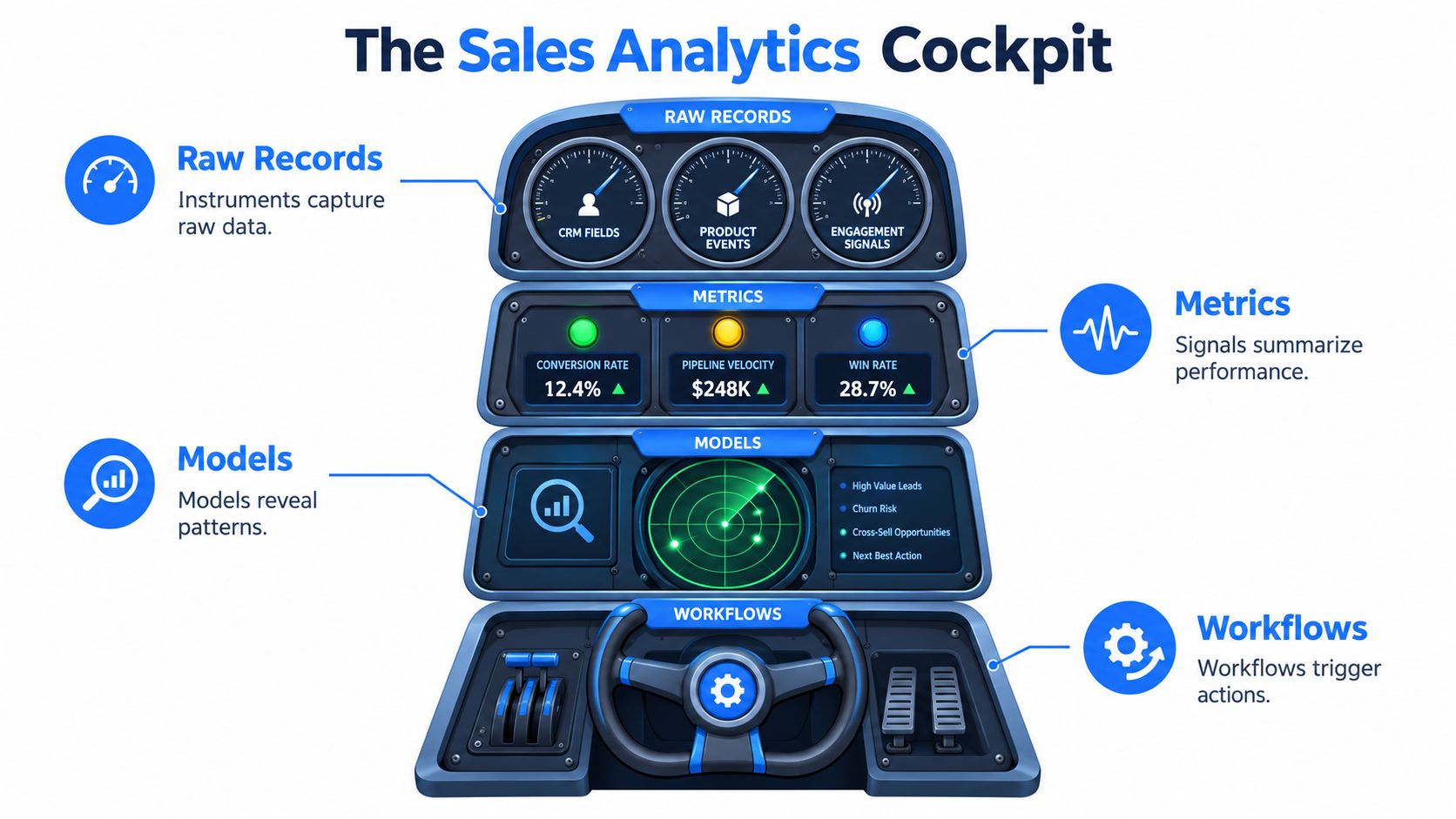
The first layer is raw records: CRM fields, product events, call and meeting records, and engagement signals. A raw record can tell you that a person attended a meeting, but not by itself whether the account is ready to buy. The next layer is metrics, which summarizes activity and outcomes into signals such as stage conversion or opportunity aging.
Then come models. These might be simple rules, a forecast formula, or a predictive model that estimates an outcome. A model interprets signals, but it doesn't guarantee that its recommendation is right. The final layer is the workflow: routing an account, prompting a seller to verify a role, or asking a manager to review an at-risk opportunity.
These layers correspond to different questions:
- Descriptive: What happened?
- Diagnostic: What may explain it?
- Predictive: What could happen next?
- Prescriptive: What action should we consider?
Sales intelligence supplies information about people, companies, and buying signals. Sales operations designs processes and measurement. Forecasting estimates future outcomes. Enablement helps representatives use guidance and tools. Analytics connects evidence to decisions across these disciplines.
Automation is optional. A recommendation can appear in a CRM for a seller to review, rather than triggering an action automatically. In either case, it should carry enough context for the recipient to assess its timing, confidence, source, and intended action. A score without an explanation is like a cockpit warning light with no indication of what it measures.
Choose Sales Metrics That Drive Decisions
A useful scorecard starts with decisions, not with every field a CRM can report. Leaders need to know whether the team is creating enough qualified pipeline, converting opportunities, and forecasting credibly. Sellers need cues about which accounts deserve attention and whether the data they're using is current.
| Metric group | Decision supported | Guardrail |
|---|---|---|
| Pipeline velocity and opportunity aging | Where should managers investigate stalled deals? | Define the start and end points consistently, and separate genuine delay from a longer sales cycle. |
| Conversion rate and win rate | Which stages or segments need coaching or process changes? | Compare like with like, including similar motions and customer types. |
| Average deal size and quota attainment | Is the team pursuing opportunities that match its commercial goals? | Don't reward larger deals without checking quality, fit, and likelihood of closing. |
| Forecast accuracy | Can leadership rely on the current outlook? | Track the reasons for forecast changes, not just the final difference. |
| Engagement quality and buying-group coverage | Does the account have meaningful participation across relevant roles? | Repeated activity from one contact isn't the same as broad account engagement. |
| Data freshness and match quality | Can a seller act on the records and recommendations? | Monitor missing fields, stale records, and failed identity matches. |
Some measures look backward; others can guide action while a deal is still moving. Closed revenue and win rate are lagging indicators. Engagement recency, stage progression, and coverage gaps can act as leading indicators, provided the team has validated that they are meaningful for its sales motion.
There's a case for keeping the weekly management set compact. A sales study summarized by Revenue Grid reports that high-performing commercial teams gained a 2% to 5% sales-growth advantage by selecting 8 to 10 metrics tied directly to revenue outcomes and reviewing them weekly; the same source says only 35% of sales professionals completely trust their data (Revenue Grid's sales analytics practice guide). Treat those figures as reported findings, not a guarantee for any team. The practical lesson is to select a few decision-focused measures, then retain detailed diagnostic views for investigating exceptions.
Define each metric before comparing teams. Specify what counts as a conversion, when an opportunity enters a stage, and how a forecast is judged. A team evaluating scoring or routing can also review its lead scoring and routing use case, while checking that activity measures reward useful progress rather than more contacts or meetings.
Build a Reliable Sales Data Pipeline
A sales recommendation is only as dependable as the record behind it. Follow that record from the moment it enters the system to the moment a seller acts on it.
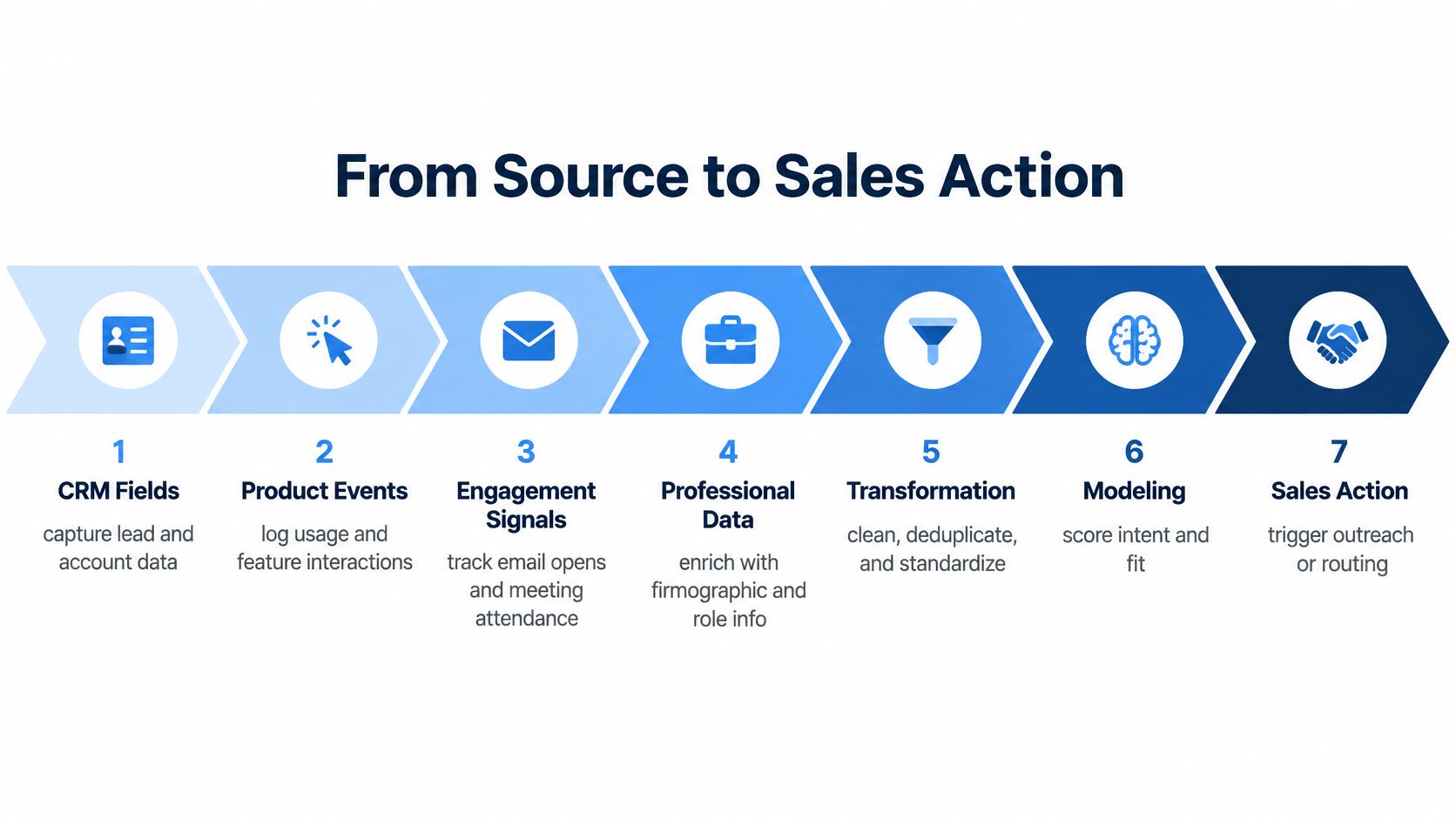
- Capture CRM fields. Collect account, contact, and opportunity details. Check for missing values and inconsistent definitions, such as different meanings of "qualified."
- Record product events. Capture meaningful usage events, not every click by default. Give events clear names and timestamps so analysts can distinguish recent activity from old records.
- Add engagement signals. Bring in meeting attendance and other relevant interactions. Deduplicate repeated events and preserve enough context to interpret them.
- Enrich professional and company records. Resolve the person and organization, then check for changes in role, seniority, or company details. Record when enrichment happened and where the data came from.
- Transform and validate. Standardize field formats, resolve duplicates, and flag conflicting values rather than choosing one automatically. Check that records meet applicable use and consent requirements.
- Model and store. Keep source data and transformed records traceable. Apply scoring or forecasting only after validating identity, completeness, and schema consistency.
- Deliver and learn. Send useful outputs into the CRM or an automation workflow. Track failures, retries, seller feedback, and later outcomes so the team can find out whether the recommendation helped.
Collection alone doesn't make a pipeline analytics-ready. The system should preserve timestamps, lineage, and change history, so an operator can explain why a company match, score, or recommendation changed. Batch processing can suit routine updates that don't need an immediate response. Streaming or on-demand processing is more appropriate when a current signal should inform a live seller decision.
A practical CRM data enrichment overview can help teams think through how added records fit into existing processes. Whatever the source, monitor incomplete responses and failed matches, and ensure that retries don't create duplicate records. A seller should be able to distinguish a verified current detail from an old value that happened to survive a sync.
The following video offers additional context on sales and data workflows:
Measure Buying Groups and Data Trust
A contact can show strong interest and still be a poor proxy for the account's readiness to buy. B2B decisions often involve people with different responsibilities: a champion, a budget owner, a technical evaluator, and the teams expected to use the product. Demandbase reports that 72% of B2B purchases involve complex, multi-stakeholder buying groups (Demandbase's State of the B2B Buyer Report). That makes account coverage a more useful unit of analysis than contact activity alone.
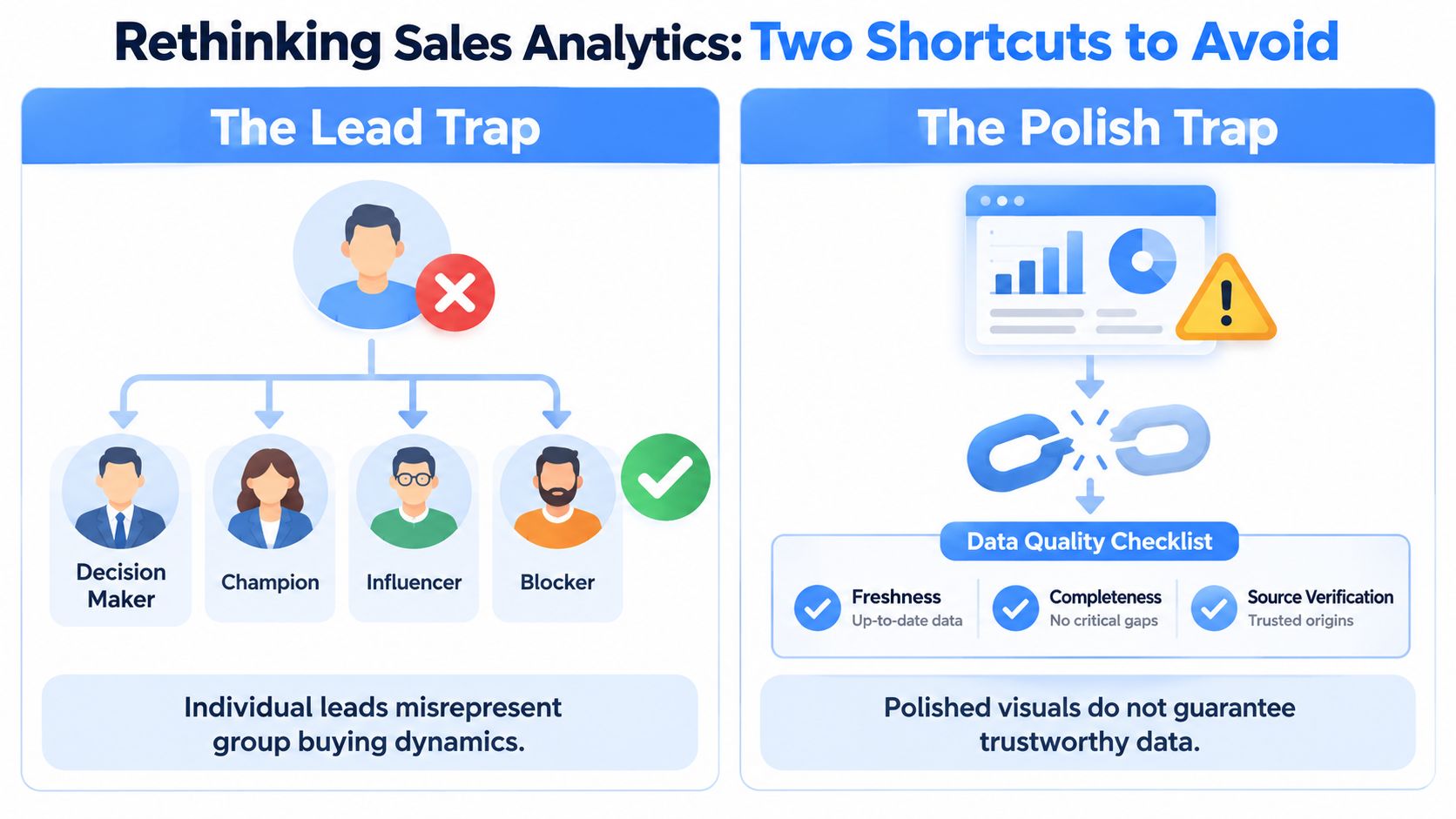
To assess coverage, combine role diversity, seniority, department representation, engagement recency, and evidence of alignment. A team might have several active contacts but no budget owner, or a technical evaluator without input from the intended users. Those patterns call for different follow-up. They also help avoid treating repeated outreach to one person as proof that the whole account is engaged.
A polished dashboard doesn't make a recommendation reliable, either. Ask how old the underlying data is, where it came from, what fields are missing, and how much confidence to place in the match. Track false positives, where a recommendation sends a seller toward the wrong person or account, as well as false negatives, where a relevant opportunity is missed.
Practical rule: If a recommendation could materially change outreach or a forecast, make its evidence visible and give the seller a way to verify it.
Trust also includes lawful use. Public visibility isn't blanket permission to collect or use personal information. The European Commission's GDPR and CCPA comparison guide explains that publicly available information can still be personal data under GDPR, while the CCPA treatment it describes is narrower and tied to lawfully available government records and compatible purposes. Teams should consider provenance, purpose, access, retention, and deletion handling as part of their analytics design.
Select Tools and Integration Patterns
Choose the stack by the decision it needs to support. A CRM stores working customer records; a warehouse or other storage layer helps preserve and analyze data; transformation tools standardize it; modeling components generate scores or forecasts; orchestration coordinates jobs; BI presents results; and workflow automation delivers them to sellers. A professional or company data API can supply structured information when internal records don't answer a sales question.
Fetchin is an example of a B2B data API that turns professional profile and company URLs into structured JSON. Its documented capabilities include professional attributes, company firmographics, and engagement endpoints, with synchronous responses by default and optional asynchronous delivery. Those are product details, not proof that any specific analytics use case will perform better. Evaluate any provider against your own requirements for schema consistency, freshness, sourcing, governance, and operational fit.
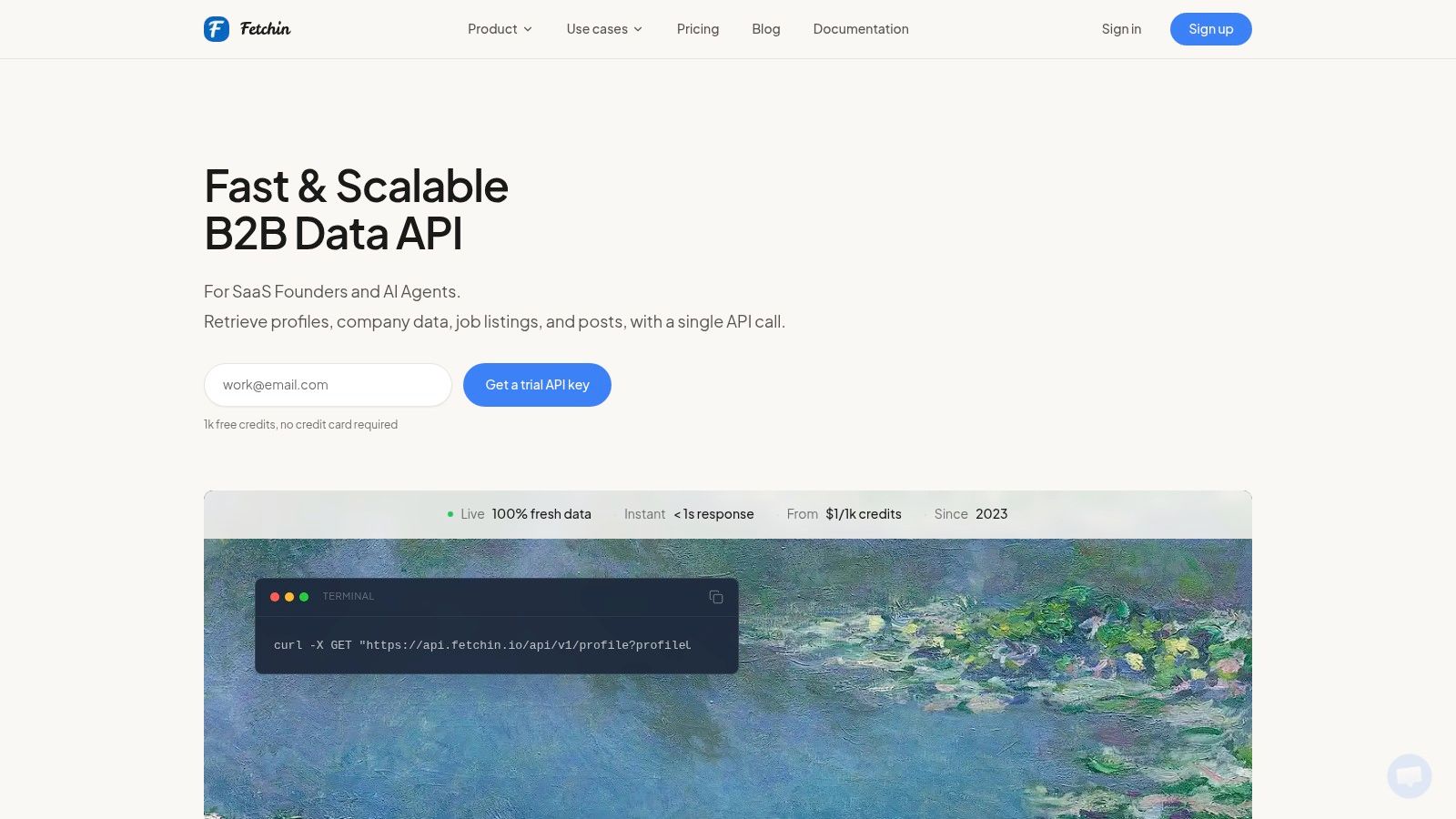
The delivery pattern matters. A seller checking an account during a call may need a synchronous response. A large enrichment job that can finish in the background may be better handled asynchronously, so the user interface doesn't wait for every result. Fresh on-demand records and periodic snapshots also serve different needs: current context can help with live decisions, while snapshots can support repeatable historical analysis.
Latency belongs in the design discussion because each lookup adds time to an interactive workflow. Research on large-scale search systems reports that a 100-millisecond increase in response time can produce measurable decreases in user engagement and revenue (latency research summary). That finding isn't a sales-specific guarantee, but it highlights why teams should test end-to-end response times rather than judge components in isolation. Median and slower-tail latency both matter when a workflow chains several calls.
Finally, compare a managed service with a custom build in terms of team capacity, monitoring burden, integration effort, and control. The right choice is the one that keeps data understandable and available inside the seller's workflow, without hiding failures behind a smooth interface.
Apply Analytics Across GTM Workflows
Before a representative contacts an account, a workflow can check whether the person's role and company context still fit the reason for outreach. If the role has changed, the system might prompt the seller to verify the right contact. If the account has one engaged champion but no evidence of technical or financial participation, analytics can surface that gap rather than inflate the account's readiness based on one person's activity.
The same logic can support account selection and routing. A company's firmographic fit may help determine whether it belongs in a target segment, while role and seniority data can help route a record to the right team. Engagement signals can add context, but they shouldn't override evidence that the account is a poor fit or that the data is uncertain. Teams exploring account-level buying signals can use them as one input among several, not as an automatic instruction to contact someone.
Forecast reviews benefit from the same discipline. A manager should be able to see whether a deal's apparent progress reflects meaningful account participation or a change in CRM stage without supporting evidence. For teams measuring automated processes, a workflow metrics overview can help frame what to monitor beyond simple task counts.
A recommendation is not an outcome. It's a hypothesis that the team should test against what happens next.
Set measurement rules before launch. Track whether sellers accept or reject recommendations, whether records match the right people and companies, how much manual review is required, and whether opportunities progress in ways the team can observe. For an ROI calculation, use the organization's actual baseline for these measures. Compare the cost of data, implementation, and maintenance with observed changes in seller effort and commercial outcomes, without assuming that every recommendation creates incremental revenue.
Implement Sales Analytics in Practical Stages
Start with a decision and an owner. A project called “improve analytics” is too broad to guide design; a question such as “Which accounts need stakeholder mapping before forecast review?” gives the team something it can test. Document the current workflow and baseline first, including what sellers do, which records they trust, and where manual verification takes time.
Next, define the metric formulas and audit identity resolution, completeness, and freshness. Choose one use case with a clear recipient and action. Then set governance rules for sources, permitted uses, access, retention, and exceptions before moving sensitive or personal fields into seller-facing workflows.
Test the output against known examples before a wider rollout. Ask sellers and sales operations staff to review cases where the recommendation should be correct, uncertain, or wrong. Record why they overrode it. Place useful recommendations in an existing CRM or sales workflow rather than making the team remember to open another dashboard.
A limited pilot should track both adoption and quality. If sellers ignore an insight, find out whether it arrived too late, lacked evidence, or demanded extra work. Expand only when the team can explain the results and maintain the controls. Teams that want a broader way to think about operational maturity can consult content marketing maturity stages explained, then apply the same principle of building capability in deliberate stages.
Use this checklist before scaling:
- Sources and transformations: Document where records originate, how they're matched, and what changes during processing.
- Controls and privacy: Review permitted use, provenance, retention, access, and exception handling.
- Latency and integration: Test the full workflow, including failure paths and retries.
- Monitoring and adoption: Track data quality, recommendation use, overrides, and seller feedback.
- Metric review: Revisit definitions and business outcomes as the sales process changes.
Fetchin offers a real-time B2B data API that returns structured professional and company data from profile and company URLs, helping teams build current context into sales workflows. If you're evaluating enrichment for qualification, stakeholder coverage, or analytics, visit Fetchin to explore how its API could fit your product or operating process.