
A developer can ship a professional profile website template fast and still make the wrong stack choice. The site looks polished on day one, then every content update turns into a rebuild, a plugin conflict, or a design compromise that makes recruiters click away. This comparison focuses on the implementation decision behind each template, static code, visual editing, CMS workflow, or WordPress maintenance, so you can choose a setup that fits how your team ships, updates, and hosts the page. It also weighs audience fit, extensibility, image treatment, and the maintenance burden that follows launch, because a profile page has to stay credible after the first publish. For a useful reminder of why consultants often outgrow a pretty but shallow page, see why templates fail consultants.
Professional profile pages matter because they convert claims into evidence. Hiring-oriented survey summaries report that 93% of hiring managers would look at a portfolio when one is provided, while only 15% of candidates provide one, and 71% of hiring professionals say portfolio quality influences hiring decisions myseera.com. That gap is why template choice is really workflow choice, and why the best version of a page makes proof easy to find, not just a biography easy to read. For a deeper data model behind that idea, use what profile data includes as a practical reference.
Table of Contents
- 1. Start Bootstrap Resume
- 2. Pixelcave Resume
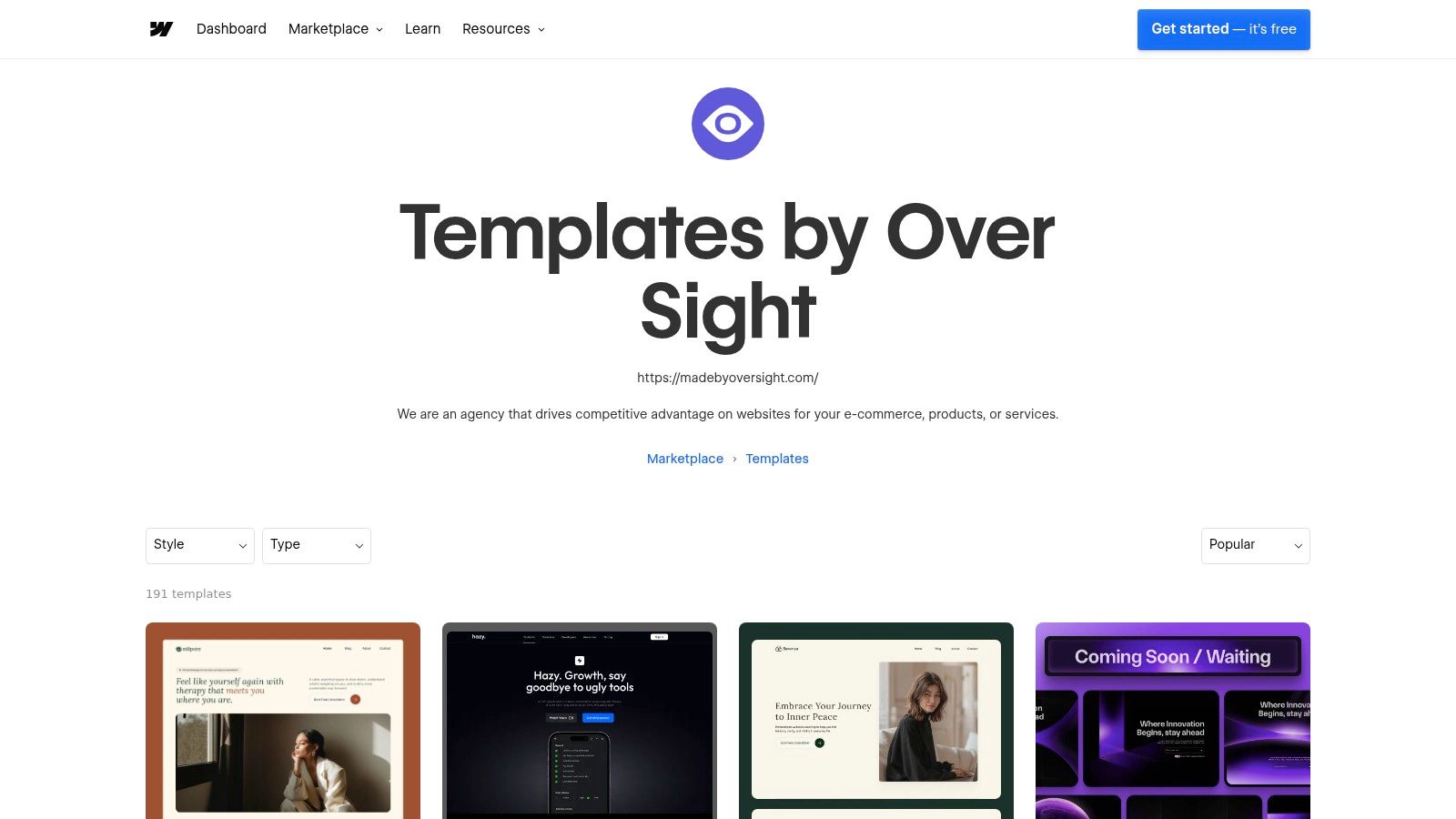
- 3. HugoBlox Resume
- 4. Hugo Resume
- 5. Astro Resume Theme
- 6. SimpleResume by Webflow
- 7. Wings by Over Sight
- 8. RyanCV
- 9. Leven
- 10. MyResume by BootstrapMade
- Top 10 Professional Profile Template Comparison
- Turn the Shortlist Into a Launch Plan
1. Start Bootstrap Resume
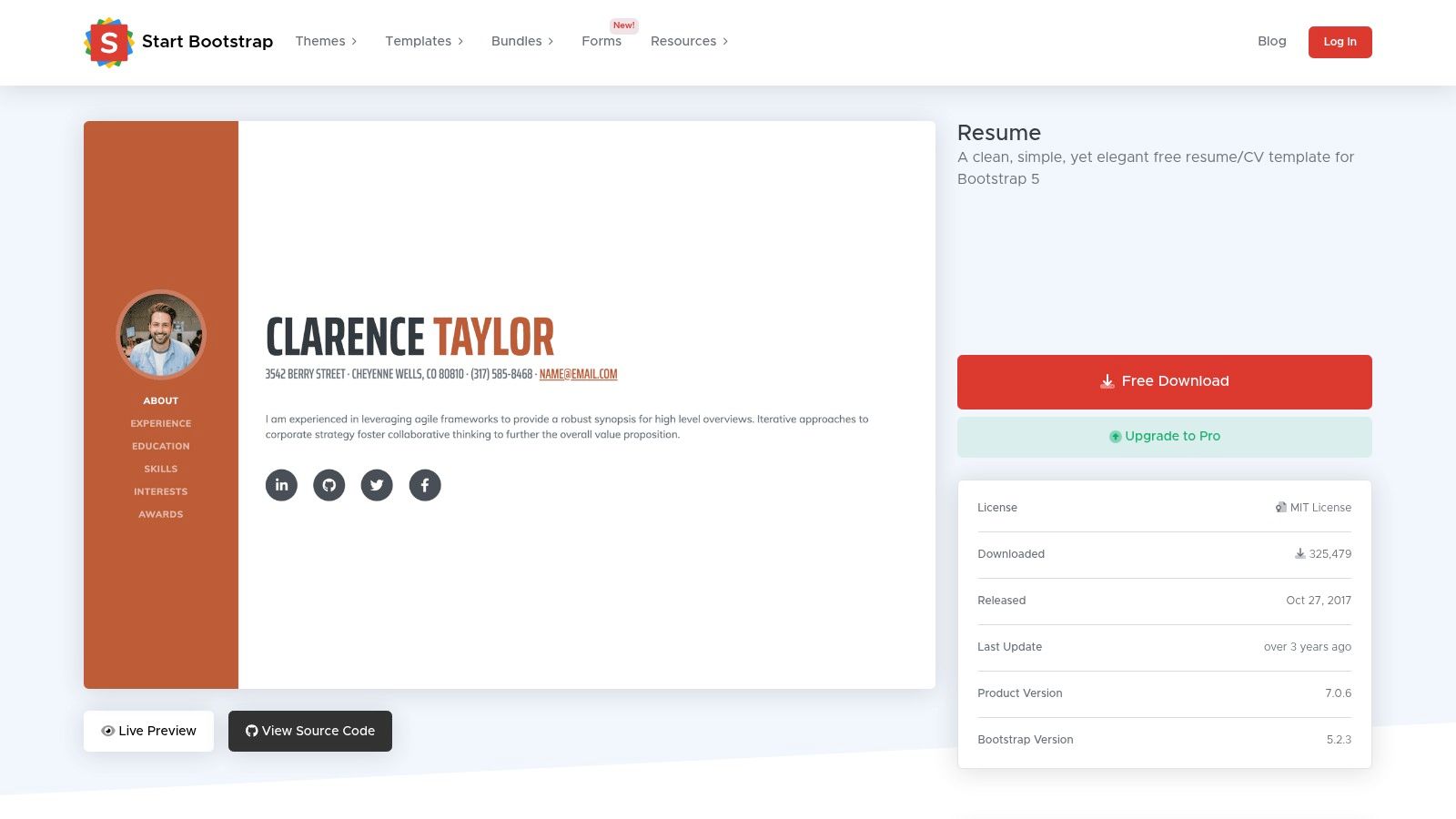
This is the safest pick for teams that want a clean one-page profile without inheriting a heavy system. The template is built on Bootstrap 5, so the layout is familiar, the code is readable, and hosting is straightforward on almost any static setup Start Bootstrap Resume.
Where it fits best
Use this when you need a portfolio that behaves like a concise résumé, not a marketing site. It works well for developers, analysts, designers, and consultants who can edit HTML directly and want to keep the structure simple enough to port into a static site generator later. The MIT-style ecosystem around Start Bootstrap also makes it easy to fork, theme, and extend without getting trapped in a proprietary workflow.
Practical rule: choose this if the person who owns the page can edit files, commit changes, and deploy them without waiting on a CMS editor.
The trade-off is obvious. Content updates are manual, so it's a poor fit for teams that need non-technical people to edit bios, testimonials, or project blocks every week. Visual motion is minimal too, which is good for speed and clarity but limiting if the brand wants a more editorial or animated feel.
For implementation, this template is strongest when paired with simple hosting and a tidy content process. Keep the sections lean, make the contact action obvious, and avoid turning the page into a dumping ground for every past role. For people who want a template that behaves like a structured profile surface, the internal data logic behind that choice lines up well with people data workflows.
2. Pixelcave Resume
Pixelcave's free Tailwind CSS v4 resume is for developers who want a modern utility-first stack and don't want to fight a builder. The codebase is compact, the layout is responsive, and the two-column structure keeps the bio and links separate from the main content, which helps scanning on desktop and mobile Pixelcave Resume.
Why developers like it
The strongest advantage is speed of customization. Tailwind makes it easy to change spacing, typography, and color tokens without redesigning the whole page, so this template is a good fit for engineers who already use the utility workflow in other products. It also hosts anywhere that serves static files, which keeps deployment simple and predictable.
There's a real limit, though. The template has no built-in blog or CMS layer, so any richer publishing workflow has to be added separately. If the profile needs regular content updates by non-developers, this becomes a maintenance burden fast.
A good way to think about it is as a starter layout, not a finished content system. It gives you the visual shell and semantics, then leaves the editorial process entirely to the team. That's ideal for code-owned personal sites and not ideal for collaborative publishing.
- Best for: front-end developers, technical founders, and engineers who want full control.
- Watch out for: manual content updates and the temptation to keep adding sections without a content strategy.
- Hosting implication: static hosting is enough, no special runtime needed.
3. HugoBlox Resume
HugoBlox fits a founder or small product team that wants a polished profile without giving up repository-based control. It combines static-site ownership with visual block editing and optional AI-assisted page generation. Content can remain in Markdown while contributors get a friendlier way to adjust page blocks HugoBlox Resume.
Static ownership with a visual workflow
The implementation choice is clear: keep the build and deployment static, then add visual editing where contributors need it. A developer can manage the theme, configuration, and deployment, while a founder, recruiter, or researcher maintains profile content without editing templates. Common static hosts suit this setup, so there is no full CMS runtime to operate.
The trade-off appears after launch. HugoBlox's editor reduces the need to work directly in code, but contributors still need to understand the project's Markdown and static-site structure. Teams expecting a traditional dashboard may need onboarding, especially when a profile changes regularly. AI-assisted generation can speed up initial page creation, but it does not replace review of claims, links, or formatting.
Keep the Markdown front matter as the single source of truth for name, role, and contact fields. That prevents the visual editor from drifting from what the static build renders. For profiles assembled from structured public information, document the field mapping and update process rather than copying data manually, as shown in public professional data pipelines. Check hosting and any optional service costs before committing, then test the generated site in the same build environment used for deployment.
4. Hugo Resume
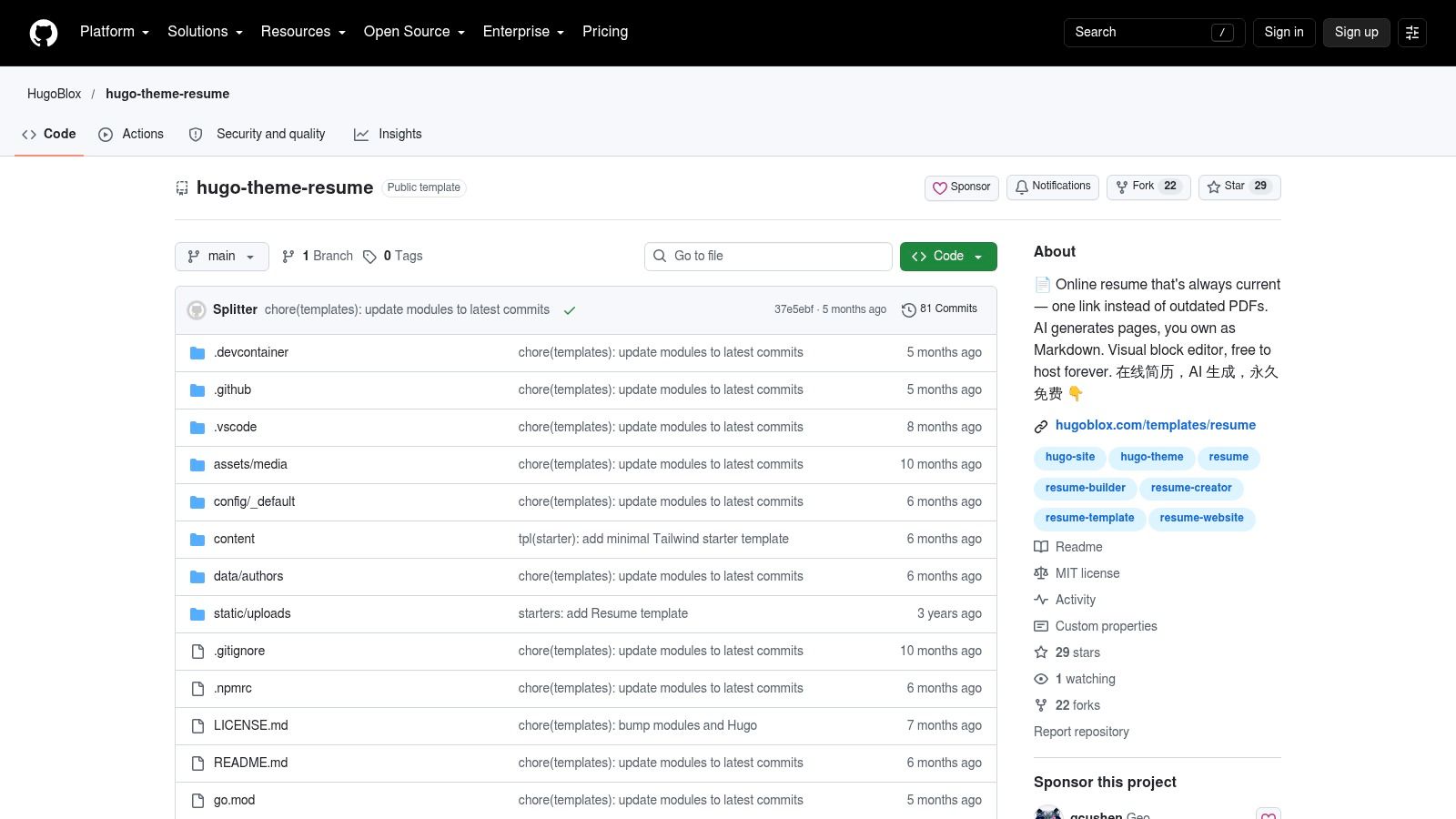
Eddie Webb's Hugo Resume is one of the cleanest ways to turn a static site generator into a personal profile page. It takes the familiar resume layout and adds Hugo data structures, plus optional Netlify CMS support for browser-based editing Hugo Resume.
Good for simple editorial workflows
This is a practical choice when you want a static toolchain but still need someone to update the site without opening a code editor every time. The optional CMS layer is the difference-maker, because it gives browser-based editing without turning the project into a full WordPress maintenance job. The design stays minimalist, which helps the content stay in focus.
That simplicity cuts both ways. If the brand wants fancy motion, deep interactivity, or a multi-section storytelling experience, this won't satisfy it out of the box. It also assumes a little comfort with static-site deployment, so the onboarding friction is low for developers and higher for everyone else.
A useful way to deploy it is to treat the page as a maintained profile, not a miniature marketing site. Keep the skills, work history, links, and contact paths tight, and use the CMS only for fields that need non-technical edits. That discipline prevents the common problem where a resume page slowly becomes a noisy biography archive.
Keep the profile readable first, editable second, and decorative third.
5. Astro Resume Theme
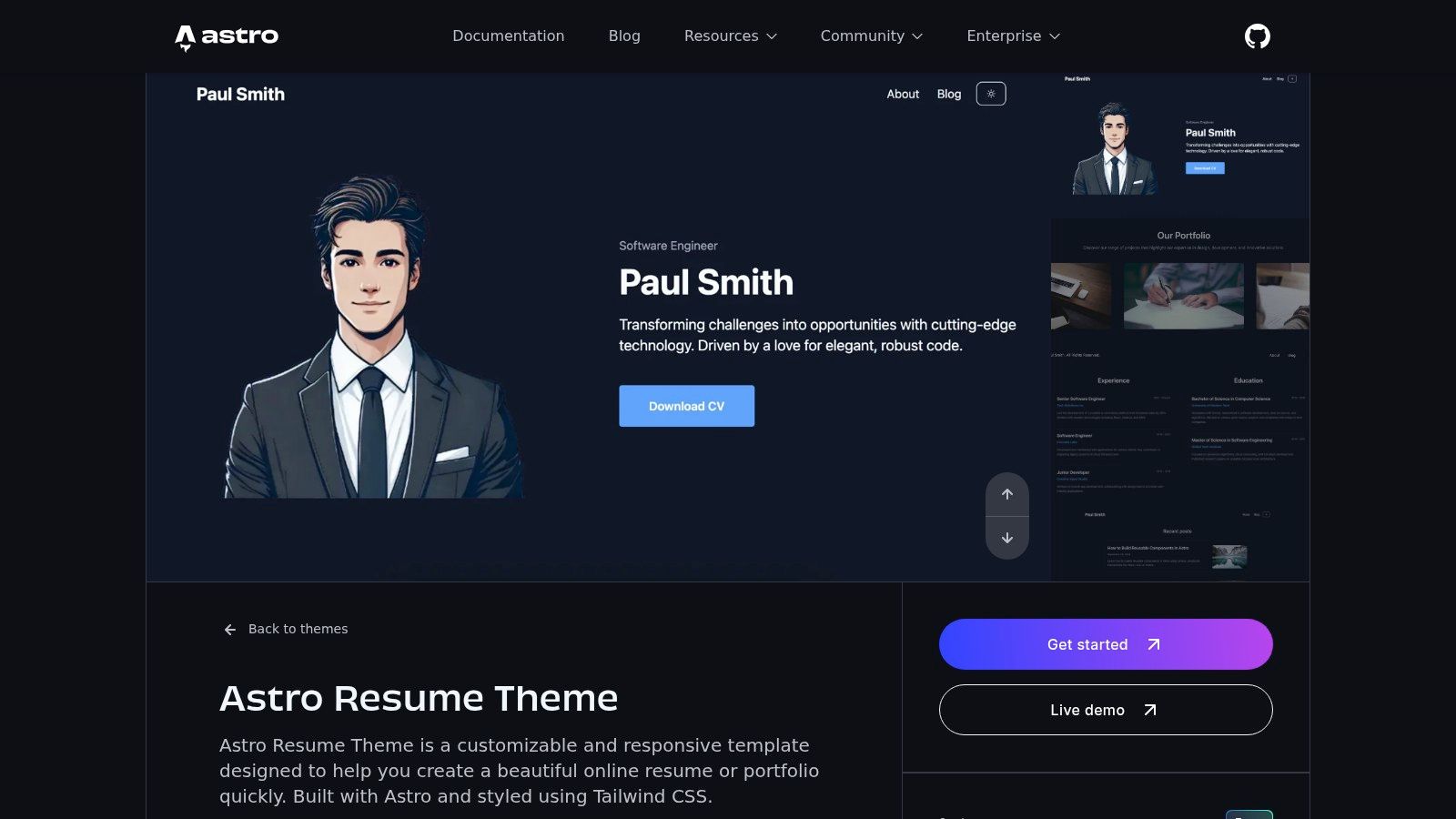
Astro Resume Theme is built for developers who care about performance, component structure, and deployment flexibility. It ships as a modern starter for a framework that works well with static generation and pairs naturally with utility styling Astro Resume Theme.
A strong fit for framework-first teams
The biggest advantage is how easily this grows beyond a single page. A team can start with a résumé layout, then extend it into a multi-page portfolio or a blog without abandoning the component model. That makes it appealing for developers who know the profile site may later need case studies, writing, or project archives.
The trade-off is that it assumes a real build workflow. There's no no-code path here, so non-developers will need someone to edit files and redeploy. Documentation depth can also vary across community themes, so implementation discipline matters more than it does with a polished builder template.
For teams that already deploy through a modern frontend stack, this is one of the easiest templates to keep lean and fast. Just keep the initial scope under control. A profile site that tries to become a full content platform too soon usually ships late and feels unfinished.
6. SimpleResume by Webflow
SimpleResume is for teams that want a visual editor and fast launch without asking a developer to hand-author every change. It's free, cloneable, and built for Webflow users who want structured content with CMS-ready collections SimpleResume.
Why non-developers reach for it
This template is a good fit for recruiters, solo consultants, job seekers, and marketing professionals who need to update sections without touching code. The style guide and changelog pages are a practical bonus, because they help teams understand how the project is organized instead of guessing at the layout system.
The biggest limitation is workflow lock-in. You can't apply the template to an existing Webflow project, which means adoption is easier when the page starts here rather than migrates here. Exporting code also requires a paid Webflow site plan, so the “free” entry point isn't the full operational cost.
That matters for product teams that care about governance. If the site will be edited by multiple people, the CMS collections are useful. If the site will live for years and eventually move to another stack, the vendor workflow deserves a hard look before anyone commits.
- Best for: non-developers, small teams, and personal-brand pages with regular edits.
- Watch out for: platform constraints and plan requirements for export.
- Maintenance burden: low at launch, moderate if the design system grows.
7. Wings by Over Sight
Wings is the premium pick for people who want a profile that feels closer to a personal brand site than a résumé page. It offers bold minimal layouts, advanced animations, and a consulting-friendly presentation style across multiple pages Wings by Over Sight.
Better for service-led profiles than job-hunting pages
That makes it especially strong for solo founders, coaches, and consultants who sell expertise directly. The visual polish is real, and the CMS support helps structure content in a way that supports services, testimonials, and portfolio proof. If the page needs to act as a lead-gen asset, this is one of the more polished Webflow options.
The downside is cost and complexity. Premium template cost plus Webflow hosting or export requirements add up, and the motion design may need to be trimmed to keep the page feeling snappy. If the goal is a straightforward career profile, some of the animation budget is wasted.
The implementation lesson is simple. Use the visual system if the brand sells trust and presence, not just experience. If the content is primarily a timeline and a few project blocks, a lighter template will usually deliver a cleaner outcome.
8. RyanCV
RyanCV is the WordPress-heavy choice for teams that want a profile site with room to grow beyond a résumé. It includes 20+ demos, Elementor customization, blog and portfolio features, dark and light modes, RTL support, and WooCommerce compatibility RyanCV.
Strong when the site needs more than a résumé
Choose RyanCV when the same WordPress install needs a profile, blog, portfolio, and possibly a small storefront or service area. The demo library can shorten the initial setup, while Elementor suits teams that want to adjust layouts visually instead of editing theme files. That convenience also creates more configuration to document and maintain.
For recruiting or sourcing work, the template can support a broader professional presence, including essays, case studies, and service pages alongside the main profile. See recruiting and sourcing for that workflow.
WordPress adds plugin updates, theme upkeep, and configuration decisions that a static stack avoids. The top portfolio plugins you add will affect how much maintenance the site requires. Factor that ongoing work into the template's cost, especially if the profile itself needs little content management.
WordPress pays off when content operations matter more than runtime simplicity.
If the site needs a blog, WooCommerce, or Elementor-built service pages in the same install, RyanCV can justify its maintenance cost. If it needs none of those, a static template will be cheaper to run.
9. Leven
Leven is a better fit for people who want a refined WordPress resume theme with elegant transitions and a clear resume timeline. It offers six home variants, light and dark versions, a drag-and-drop builder, and WPML support for translation-ready deployments Leven.
Clean presentation, heavier system
This theme works best when the profile page needs to feel polished without drifting into flashy. The resume timeline and skills modules give it enough structure for personal branding, and the home variants make it easier to match different professional identities. For multilingual sites, the translation-ready setup is useful when a candidate or consultant needs multiple language versions of the same profile.
The cost is the same familiar WordPress overhead. You inherit plugin updates, theme upkeep, and the usual maintenance tasks that come with a CMS-based stack. The animations can also be too much if the page needs to load fast on weaker devices or stay extremely focused on the content.
Leven's real advantage is focus. It doesn't try to be a giant content platform first and a résumé theme second. For users who want an elegant resume-specific site and are already comfortable with WordPress, that narrowness can be a strength.
10. MyResume by BootstrapMade
MyResume is the best low-friction option for teams that want a polished Bootstrap 5.3 profile with a bit more visual detail than the bare-bones templates. It includes About, Resume, Portfolio, Services, and Contact sections, plus a portfolio lightbox and testimonials in the one-page flow MyResume.
A practical upgrade path
The free base template is quick to adapt, which is exactly what many teams need for a first launch. The SCSS sources and working PHP/Ajax contact form are available in Pro versions, so there's a clear path if the project later needs more control or support. The layout is also a nice middle ground between plain resume and light portfolio.
The main limitation is the free license structure. Footer credit stays in place unless you move up, and the advanced features are not part of the free layer. That makes it a good starter choice, but not always the final one.
For developers, the appeal is that it's easy to extend without starting from scratch. For non-developers, the question is whether the page stays simple enough to maintain after the first round of edits. If the answer is yes, this is one of the most practical Bootstrap options in the list.
Top 10 Professional Profile Template Comparison
| Template | Core features | UX / Quality (★) | Price / Value (💰) | Target audience (👥) | Standout (✨ / 🏆) |
|---|---|---|---|---|---|
| Start Bootstrap – Resume | Responsive single‑page, Bootstrap 5, MIT | ★★★★, clean, minimal; manual edits | 💰 Free | 👥 Devs who want a simple, hackable CV | ✨ Lightweight base; 🏆 large community & examples |
| Pixelcave – Resume (Tailwind v4) | Two‑column layout, Tailwind utilities, responsive | ★★★★, modern, easy to theme | 💰 Free | 👥 Tailwind-preferring developers | ✨ Fast visual tweaks with utility classes |
| HugoBlox – Resume (AI‑assisted) | Hugo blocks, Markdown content, AI-assisted editor | ★★★★, visual editor + AI boosts speed | 💰 Free (self-host) | 👥 Owners who want content portability + AI | ✨ Hugo Chat AI + block editing; 🏆 content ownership |
| Hugo – hugo-resume (Eddie Webb) | Hugo port of Bootstrap resume, Netlify CMS optional | ★★★★, simple SSG workflow; optional in-browser CMS | 💰 Free | 👥 Static-site devs wanting light CMS | ✨ Netlify CMS integration; minimal maintenance |
| Astro – Astro Resume Theme | Astro components, SSG, Tailwind-friendly | ★★★★★, very fast & extensible | 💰 Free | 👥 Modern web devs seeking performance | ✨ Astro component model; easy multi-page expand |
| Webflow – SimpleResume | Webflow template, CMS collections, interactions | ★★★★, no-code visual editing | 💰 💰 Free template (hosting/export may cost) | 👥 Non-developers / designers | ✨ No-code CMS + interactions; fast launch |
| Wings (Webflow premium) | 8 pages, CMS, advanced interactions | ★★★★★, polished, expressive animations | 💰 Paid template + hosting | 👥 Founders, consultants, premium personal brands | ✨ Agency-grade animations; 🏆 premium design |
| RyanCV (ThemeForest, WP) | Elementor demos, resume modules, WooCommerce ready | ★★★★, feature-rich but needs WP upkeep | 💰 Paid (marketplace) | 👥 Users wanting full WP resume + blog/portfolio | ✨ One-click demos, extensive widgets |
| Leven (ThemeForest, WP) | Multiple home variants, drag‑drop resume modules | ★★★★, focused resume features; WP overhead | 💰 Paid (marketplace) | 👥 Professionals wanting refined WP vCard | ✨ Resume timeline + light/dark variants |
| BootstrapMade – MyResume | One-page Bootstrap 5.3, portfolio, testimonials | ★★★★, polished; Pro unlocks extras | 💰 Free base → Pro paid | 👥 Quick-start users who may upgrade later | ✨ SCSS & PHP contact (Pro); 🏆 SEO-oriented markup |
Turn the Shortlist Into a Launch Plan
Pick the template by matching it to the editor and deployment workflow first. If the person maintaining the site owns code, static and framework-based options like Start Bootstrap, Pixelcave, HugoBlox, Hugo Resume, Astro, and MyResume usually stay easier to control. If the team needs collaborative visual editing, Webflow choices like SimpleResume and Wings reduce launch friction. If the broader content operation matters enough to justify upkeep, WordPress themes like RyanCV and Leven bring more publishing depth, but they also bring more maintenance.
Before launch, confirm license terms, any paid-plan requirements, and whether the template can live in your intended host without workarounds. Replace demo content early, because placeholder text hides the actual editing burden and makes accessibility review harder. Then test responsive behavior on real phone widths, verify keyboard access, check contact handling, and measure performance before you publish. Responsive design and accessibility are not optional for this category, since mobile usage is the dominant context in which many profile pages get opened mobile web usage data and accessibility failures remain widespread WebAIM accessibility analysis.
A simple way to narrow the field is to separate the list into four buckets. Free static and framework options cover Start Bootstrap, Pixelcave, HugoBlox, Hugo Resume, Astro, and the free base of MyResume. Visual builder choices cover SimpleResume and Wings. WordPress options cover RyanCV and Leven. That split helps product teams avoid choosing a template for its screenshots when the question that matters is who will keep it current, how fast it will load, and who will own the next round of edits. For a broader decision lens, see which website builder is better.
Fetchin helps teams turn a professional profile URL or company URL into structured JSON, so the page data behind a template doesn't go stale as quickly as a manually maintained résumé site. If you're building a profile, sourcing, or enrichment workflow around this topic, Fetchin gives you a live B2B data API you can plug into product or ops flows.